Invoices from foreign suppliers and invoices received only as PDF or scans don't come through SPV (Romania's national eFactura system), so they get typed into the accounting software by hand — with a different workflow and a different error risk than eFactura invoices.
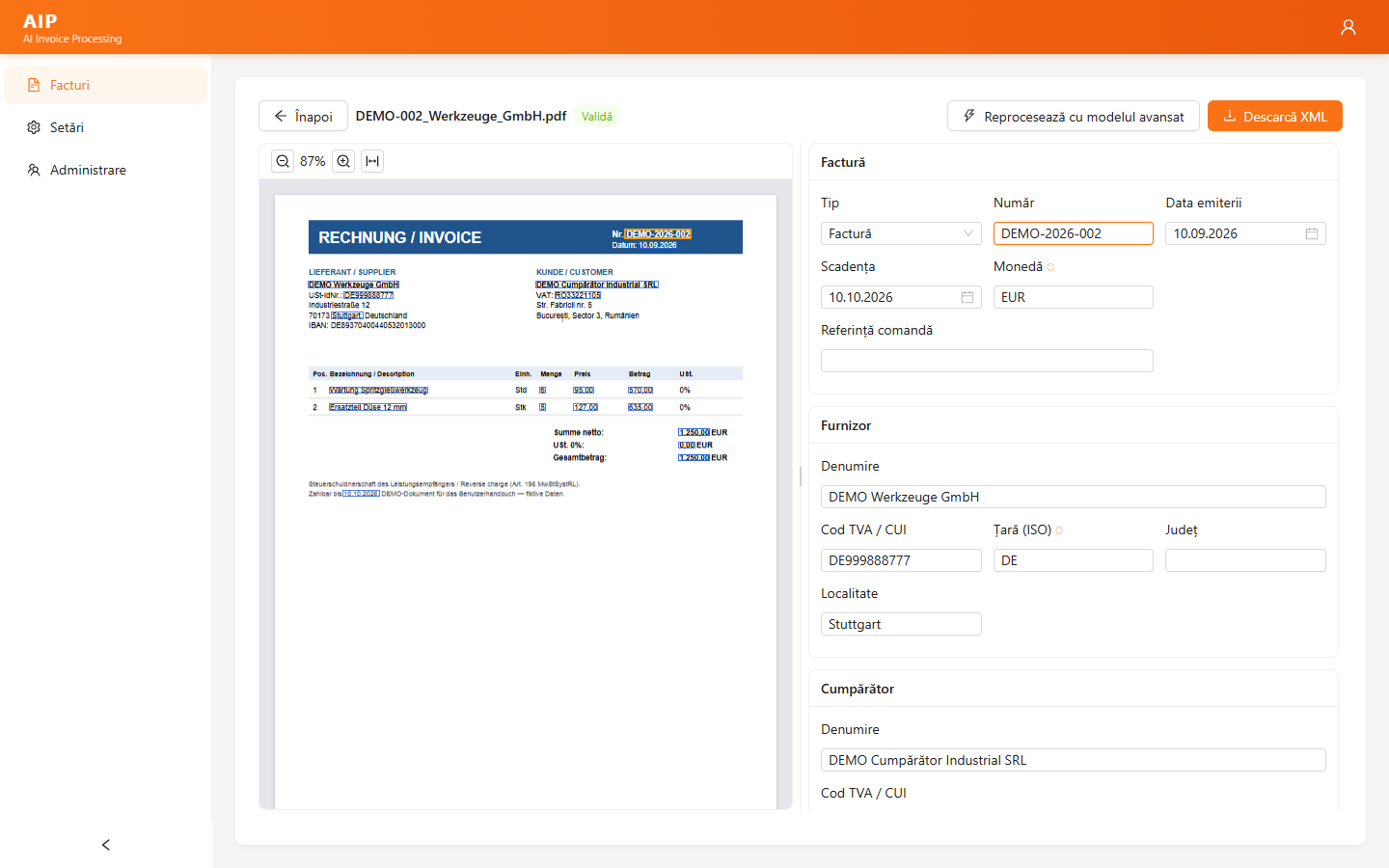
AIP (AI Invoice Processing) reads them with artificial intelligence the way a person would: it extracts the header (series and number, dates, currency, supplier and customer with tax ID and address, IBAN, totals and VAT broken down by rate) and every product line (item code, description, unit of measure, quantity, unit price, amount, VAT rate and VAT amount). It checks the calculations and tax codes automatically, shows you every value on the original document and gives you the invoice as an eFactura XML, ready to import into your accounting software just like invoices from SPV.
Nothing to configure for a new supplier, and AI costs and eFactura export are included in the subscription.
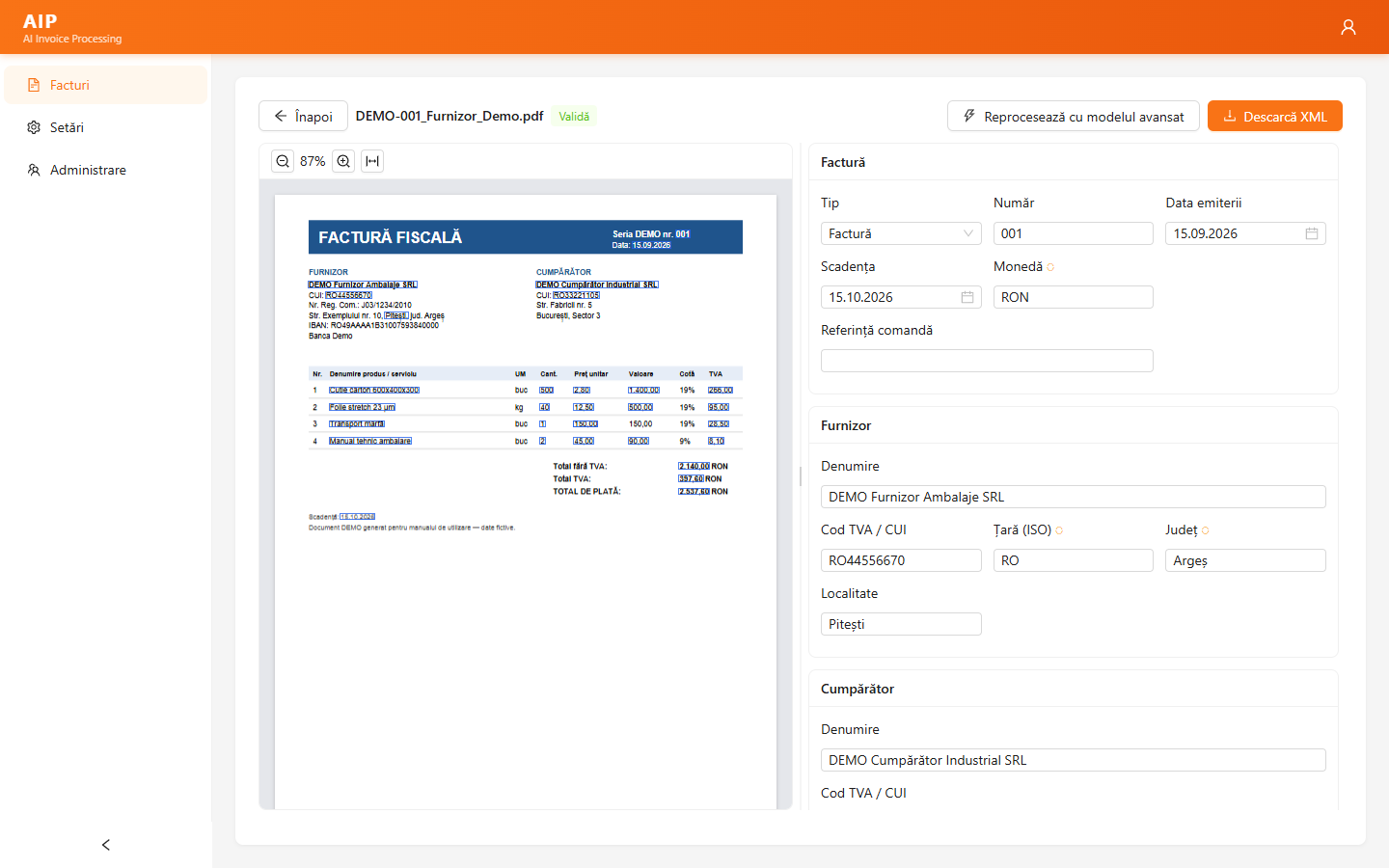

Every supplier uses a different invoice layout. AIP needs no per-supplier template: it reads the supplier, customer, lines, totals and VAT directly, and difficult invoices are automatically routed to a more powerful AI model.

Invoices in euros, in German or English are read just as well. Foreign-currency invoices automatically get the BNR (National Bank of Romania) exchange rate for the invoice date, and reverse charge and intra-community supplies are recognized and coded correctly.

Every external invoice becomes an eFactura XML (UBL 2.1, CIUS-RO) and can be imported into any accounting software or ERP that accepts eFactura — in the same flow as invoices from SPV.

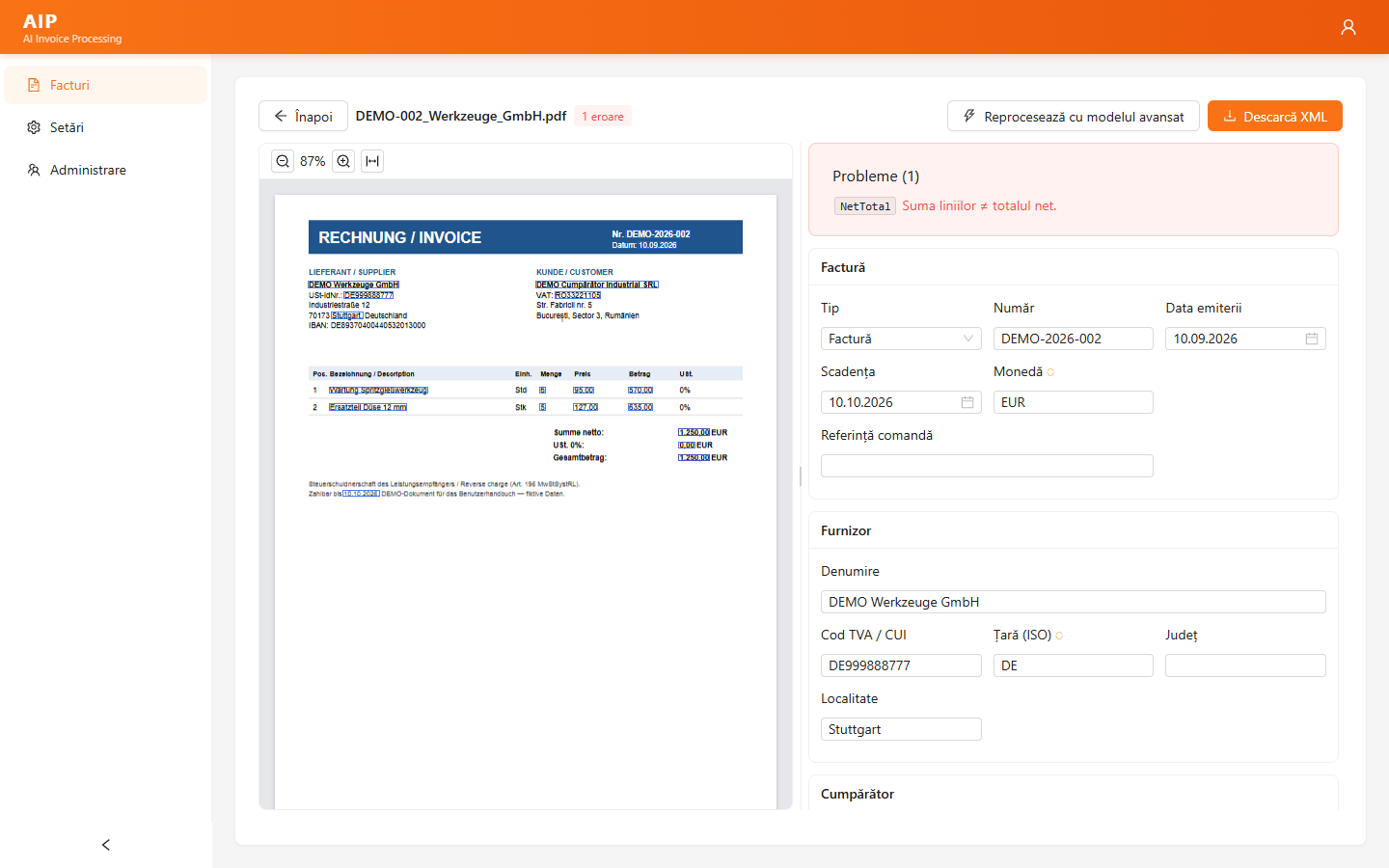
Every line is recalculated (quantity × price, VAT per rate), totals are compared against the sum of the lines, and the tax ID and VAT number are validated. Any mismatch is flagged before export.
Works with text PDFs, scanned PDFs and images (PNG, JPEG). Codes read from the image are cross-checked against the recognized text, so a misread digit doesn't slip through.

The original invoice is shown next to the extracted data, with every value outlined on the document. Click a field to see where the value sits on the document, and vice versa; correct it in place and the validation reruns instantly.
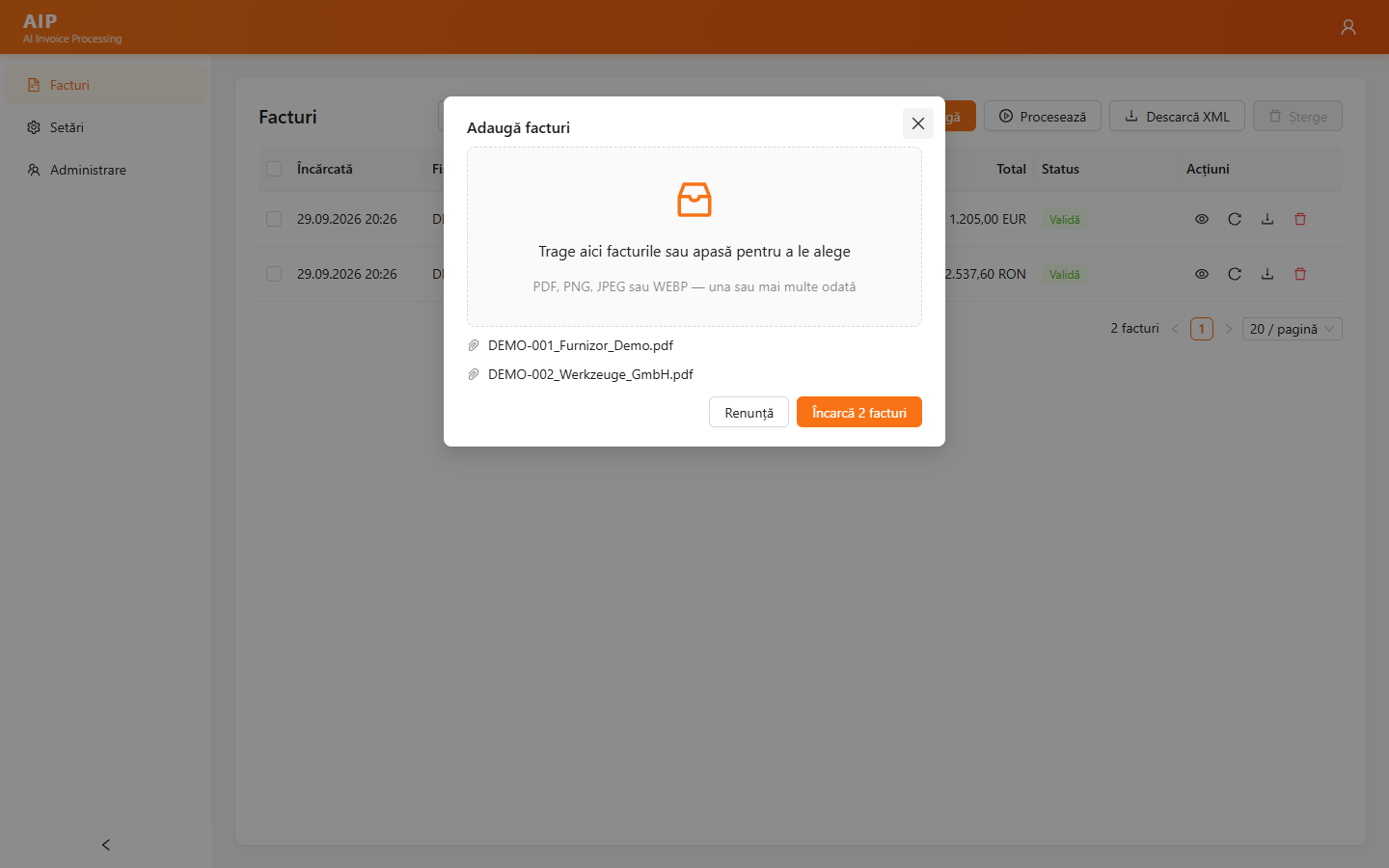
Drag the file onto the page or pick it from your computer, right in the browser. AIP accepts text PDFs, scanned PDFs and images (PNG, JPEG) — invoices from foreign suppliers, or from local suppliers who send invoices only as PDF by email or on paper.
Artificial intelligence reads the invoice and extracts the header and every product line, in any language and any currency. Foreign-currency invoices get the BNR exchange rate for the invoice date, and reverse charge and intra-community supplies are coded correctly. Extra fields (purchase order, delivery note, batch, line discount) can be added on request.
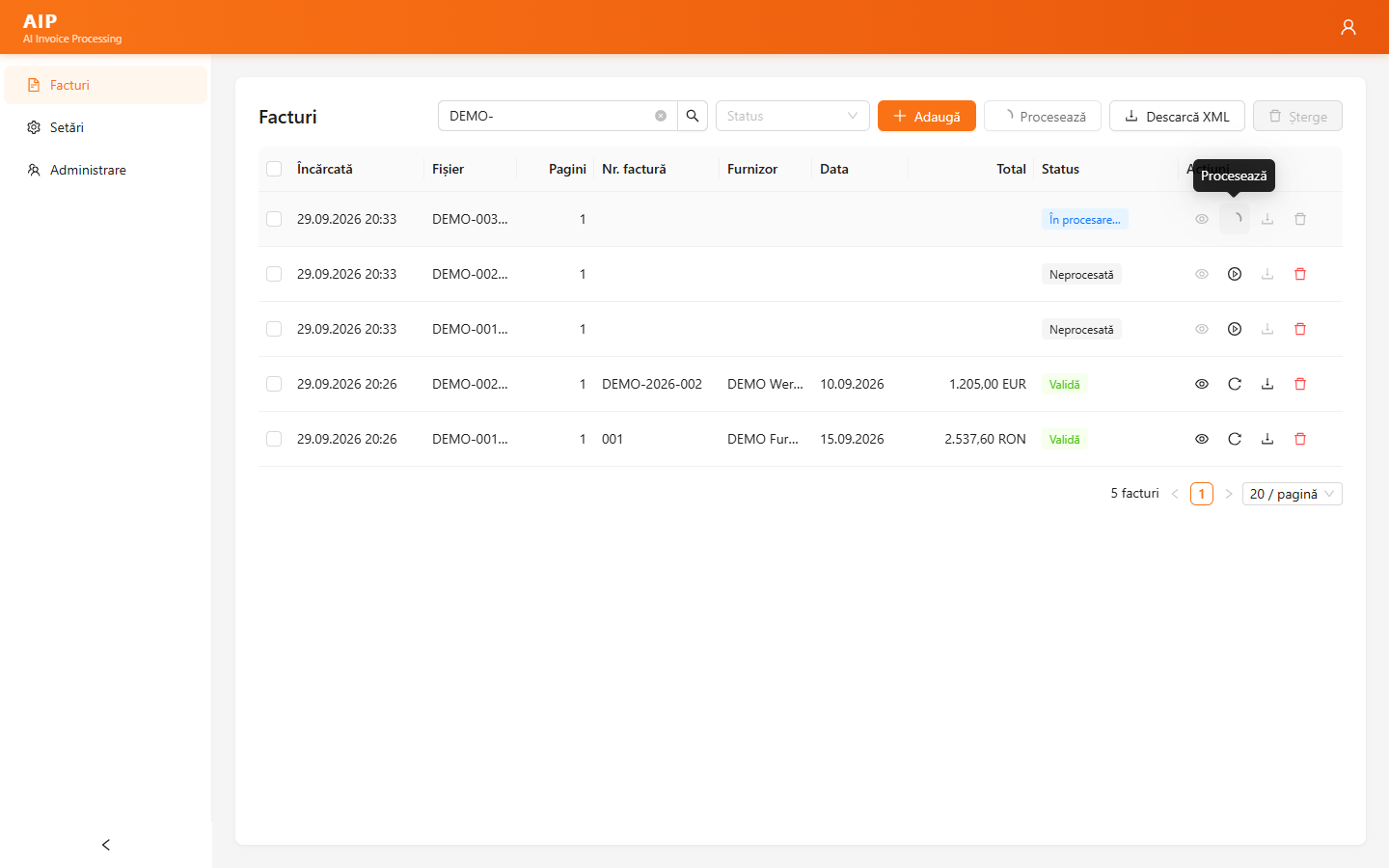
Before export, AIP automatically checks every invoice:
The original invoice is shown next to the extracted data; correct values in place and the validation reruns instantly.
The validated invoice becomes an eFactura XML (UBL 2.1, CIUS-RO) and enters the same import flow as invoices from SPV. Integration with your software comes in the option that fits:
Company-specific adaptations and workflows are quoted separately.