A public tender comes with hundreds of pages: the tender data sheet, the specifications, annexes, forms, the contract model, clarifications. The bid team reads them by hand to find the qualification requirements, the award criterion and the deadlines, then writes the technical proposal, fills in dozens of forms and finally checks that nothing is missing from the bid.
TenderIQ brings the tender straight from SEAP, with its documentation, classifies the documents, detects the lots and starts the analysis on its own. On each lot it answers the questions you defined, with sources in the documents, compares the qualification requirements with your company profile and lists the documents to submit. It then prepares the bid: the compliance matrix for services and works, the list of offered items for supplies, the financial offer and the forms filled in with your company data. Before submission it checks every document and the whole bid: what is missing and what does not match between documents.
The application runs in the browser, for the whole team, with role-based rights: reader, analyst, manager and administrator.
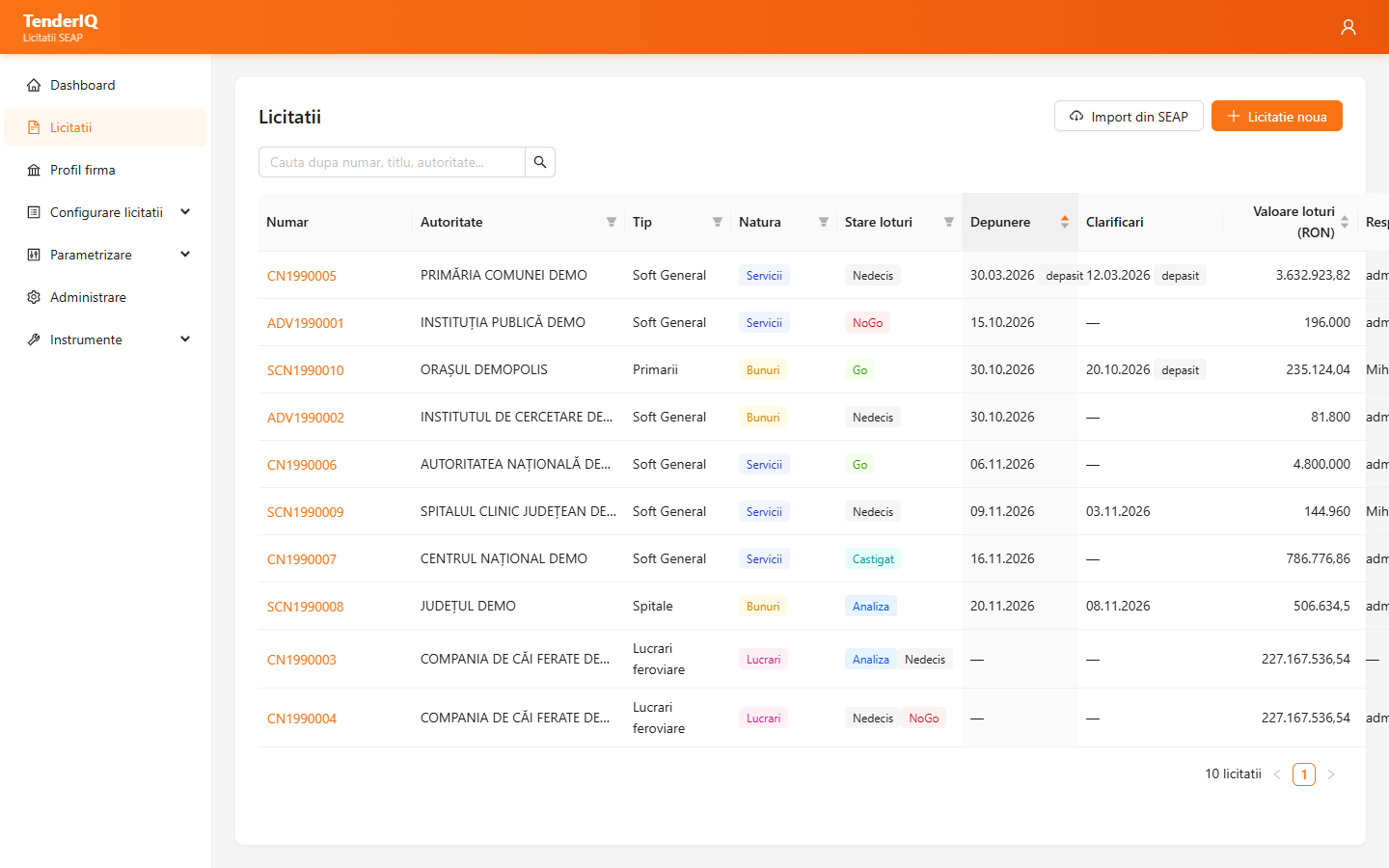

Paste the link or the notice number (CN, SCN, ADV) and TenderIQ takes the data and the full documentation. Documents are classified, lots are detected from the data sheet, and the analysis and recommendation start automatically, with no extra click.

Every answer shows the document and the place where the information was found, with a quote checked against the documents. An answer whose sources are not found is flagged as unconfirmed, and missing information is reported as not found — not made up.

The qualification requirements of each lot are compared with your experience, certifications, experts, equipment and turnover. You also get the list of documents to submit, to tick off as they are ready.

For services and works, a proposed answer to every requirement, from your service documents, and the compliance matrix in Word. For supplies, the list of items with their requirements and what you offer, exported to Word or PDF.

The tender's Word forms are filled in with your company data and the bid terms and prices. Those that do not apply to your situation (joint bid, third-party support, subcontracting) are flagged, and the fields left to fill in are listed.

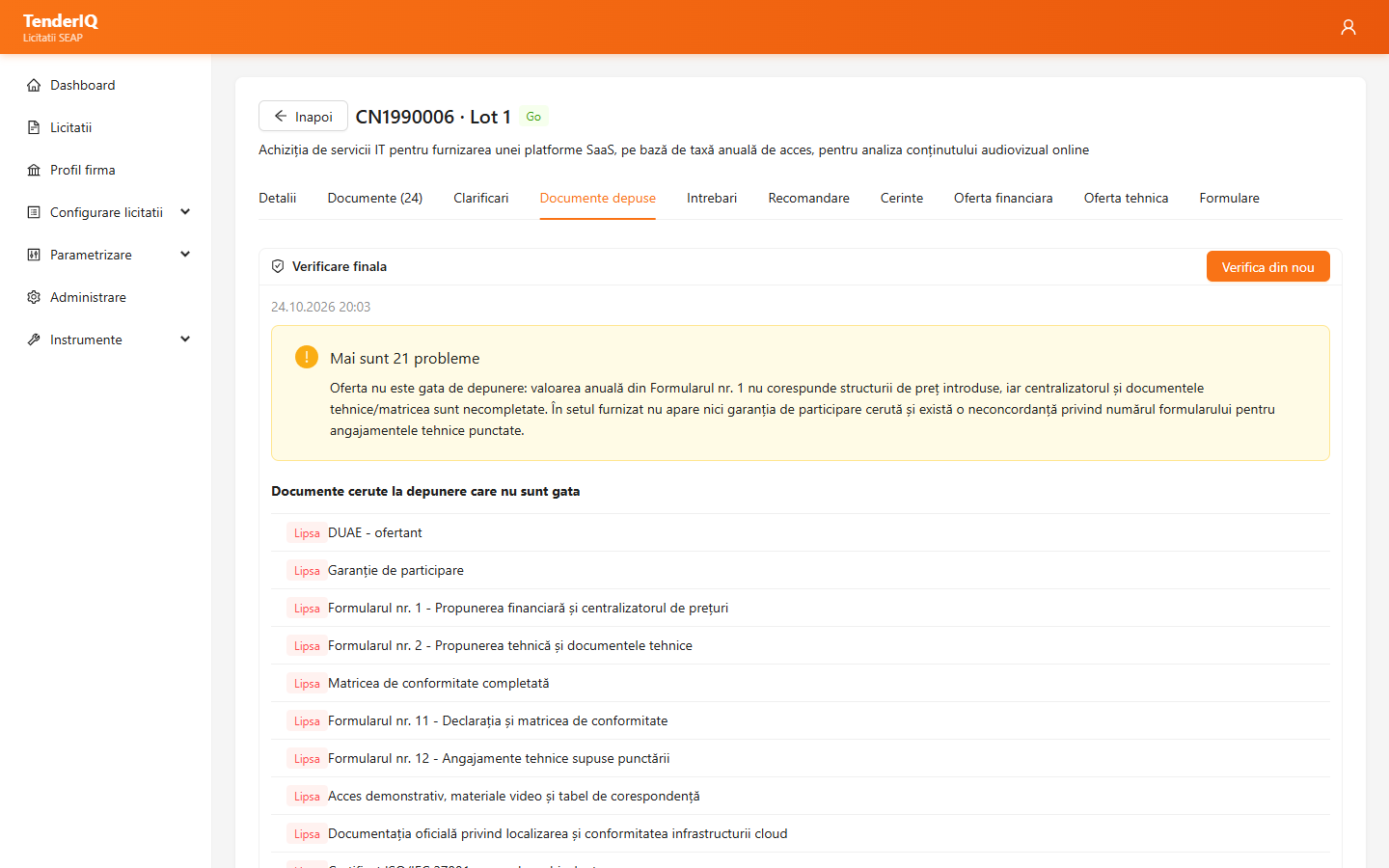
Every uploaded document is checked: signature, which document it is and whether it complies. The final check shows the missing documents and the inconsistencies between documents, from prices to deadlines and guarantees.
Paste the notice link from e-licitatie.ro or just its number, choose the tender type and the owner. TenderIQ creates the tender with the notice data — including the CPV code and the nature (supplies, services or works) — and downloads its documentation. A tender that is not in SEAP is added manually, and documents are uploaded file by file, as a folder or as a ZIP/RAR archive.
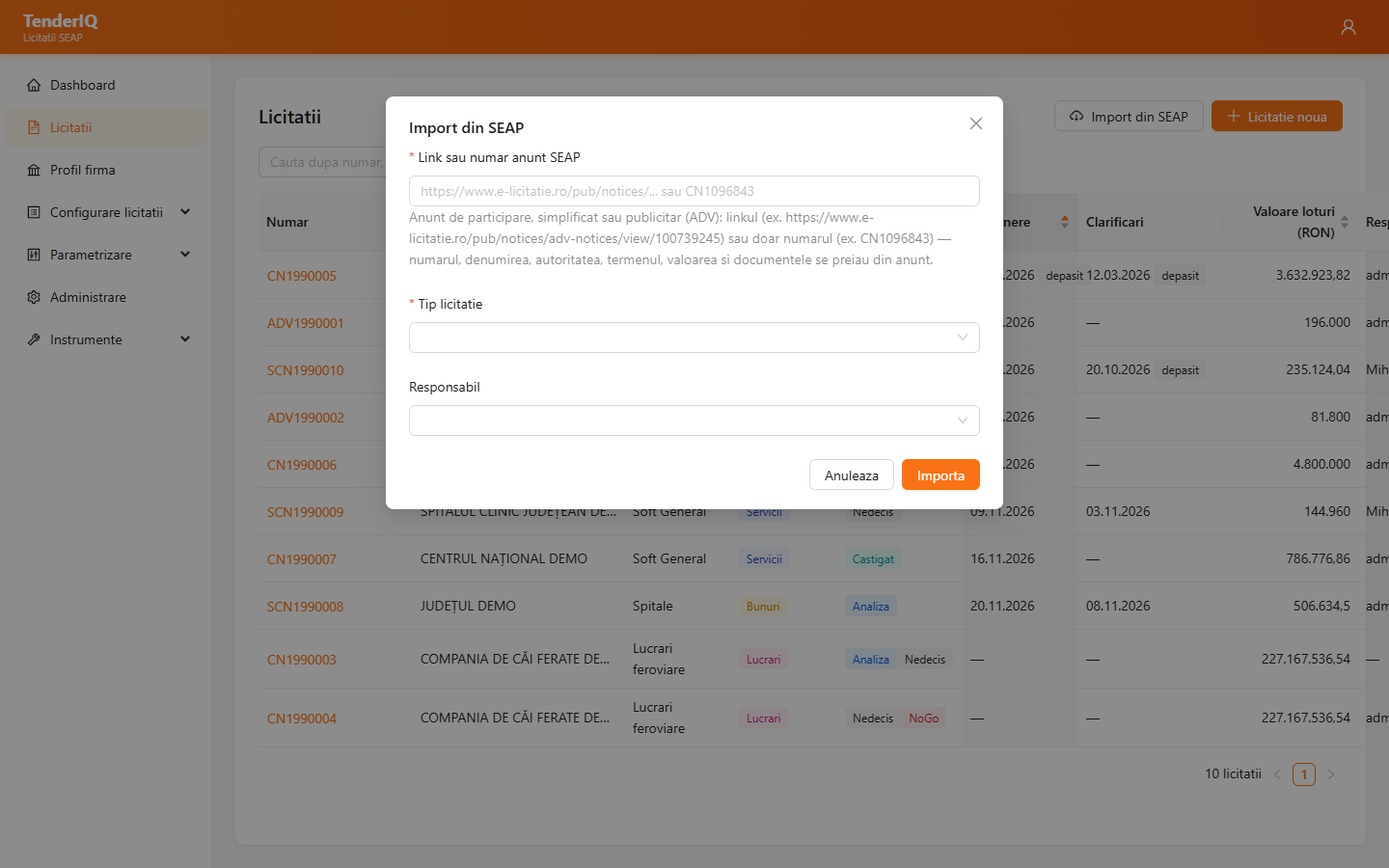
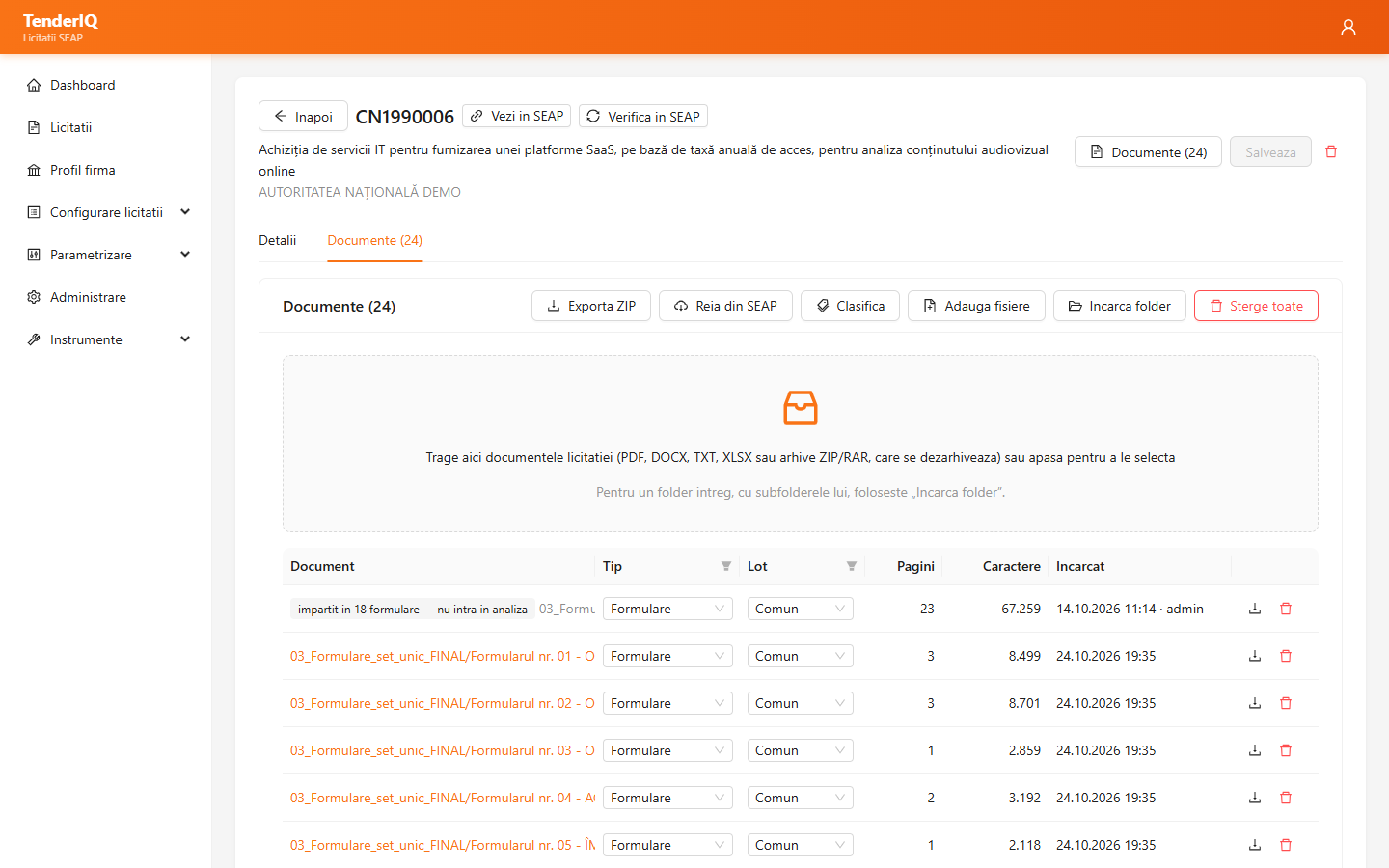
Scanned pages are transcribed with AI, documents are classified (data sheet, specifications, forms, contract model), and a file with several forms is split into one document per form. AI detects the lots from the data sheet: a single lot is confirmed automatically, several are confirmed by you. The analysis then starts on each lot.
On each lot, AI answers the questions defined for the tender type, using the common documents plus those of the lot. Each answer has the conclusion, details, table and sources. You correct an answer, re-run a question after a new clarification and export the report to Word.
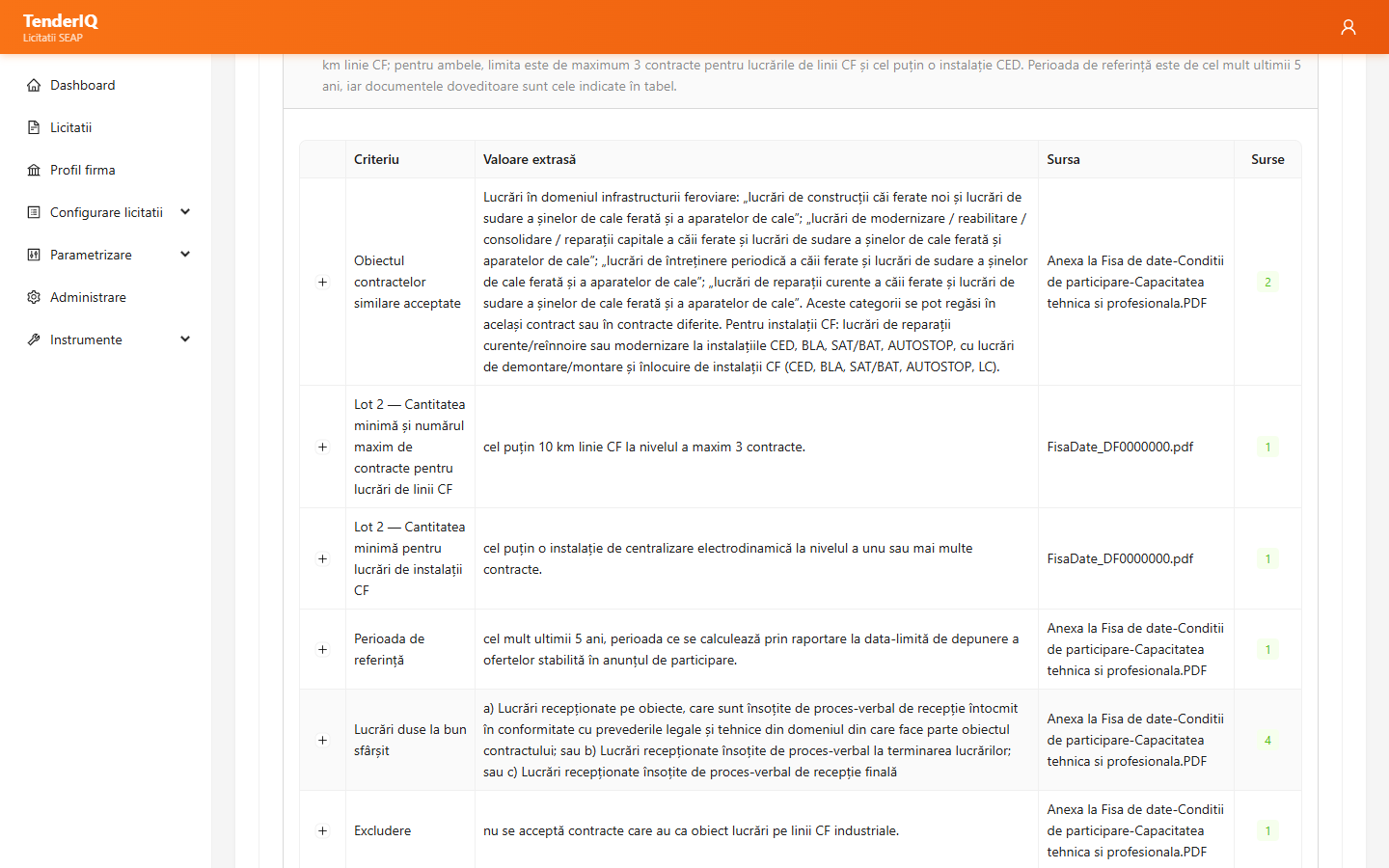
TenderIQ compares the lot's qualification requirements with your company profile and summarizes whether the bid can qualify: for each requirement you see what your profile has, the status and notes. The list of documents to submit says when each one is due and who prepares it, and the team ticks off what is ready.
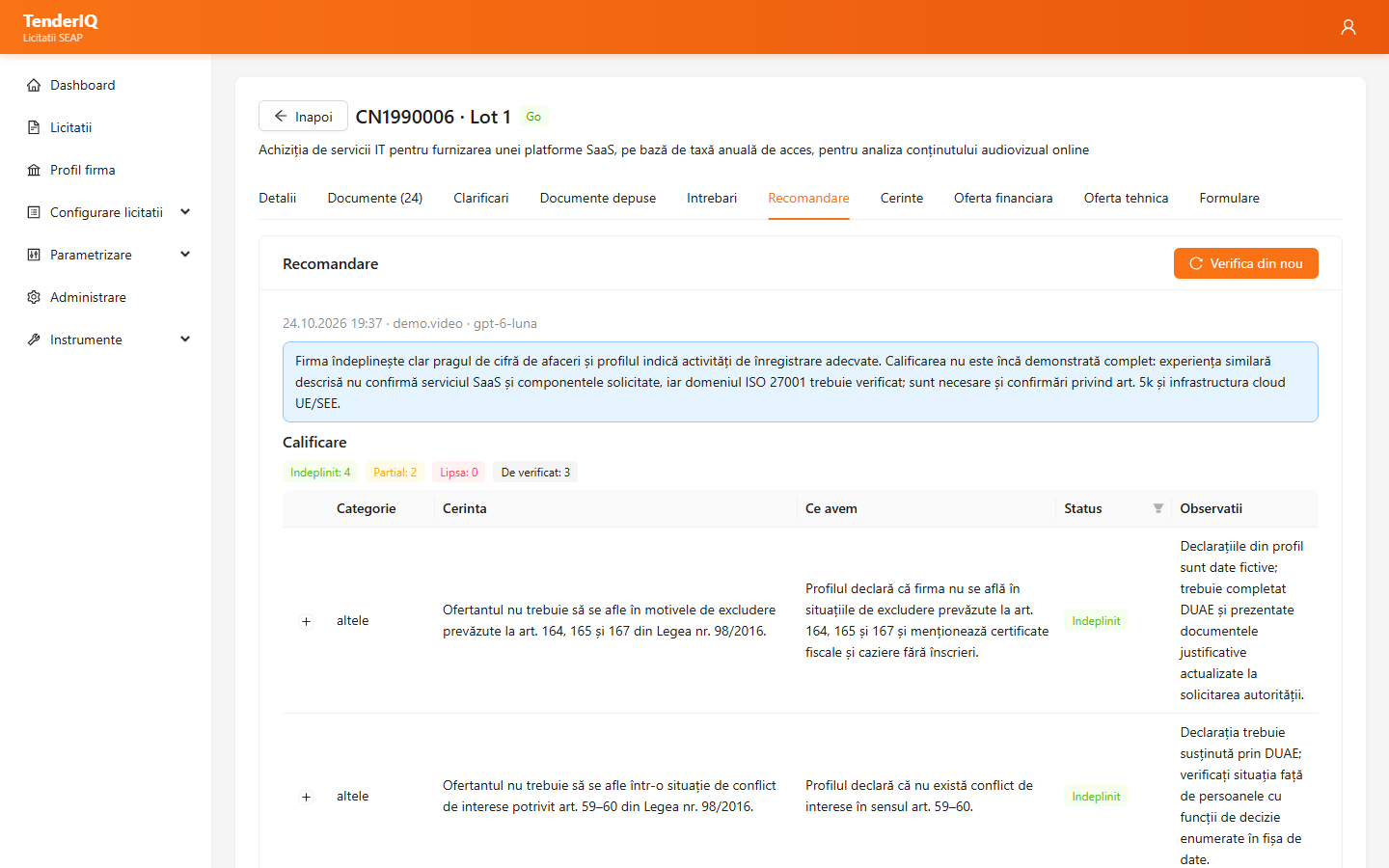
For services, every requirement of the specifications is compared with your service, with the proposed answer and its sources; after review you download the compliance matrix in Word. For supplies you fill in the offered product on each item and export the technical proposal. The bid terms are extracted from the documentation, and the forms are filled in automatically with your company data and prices.
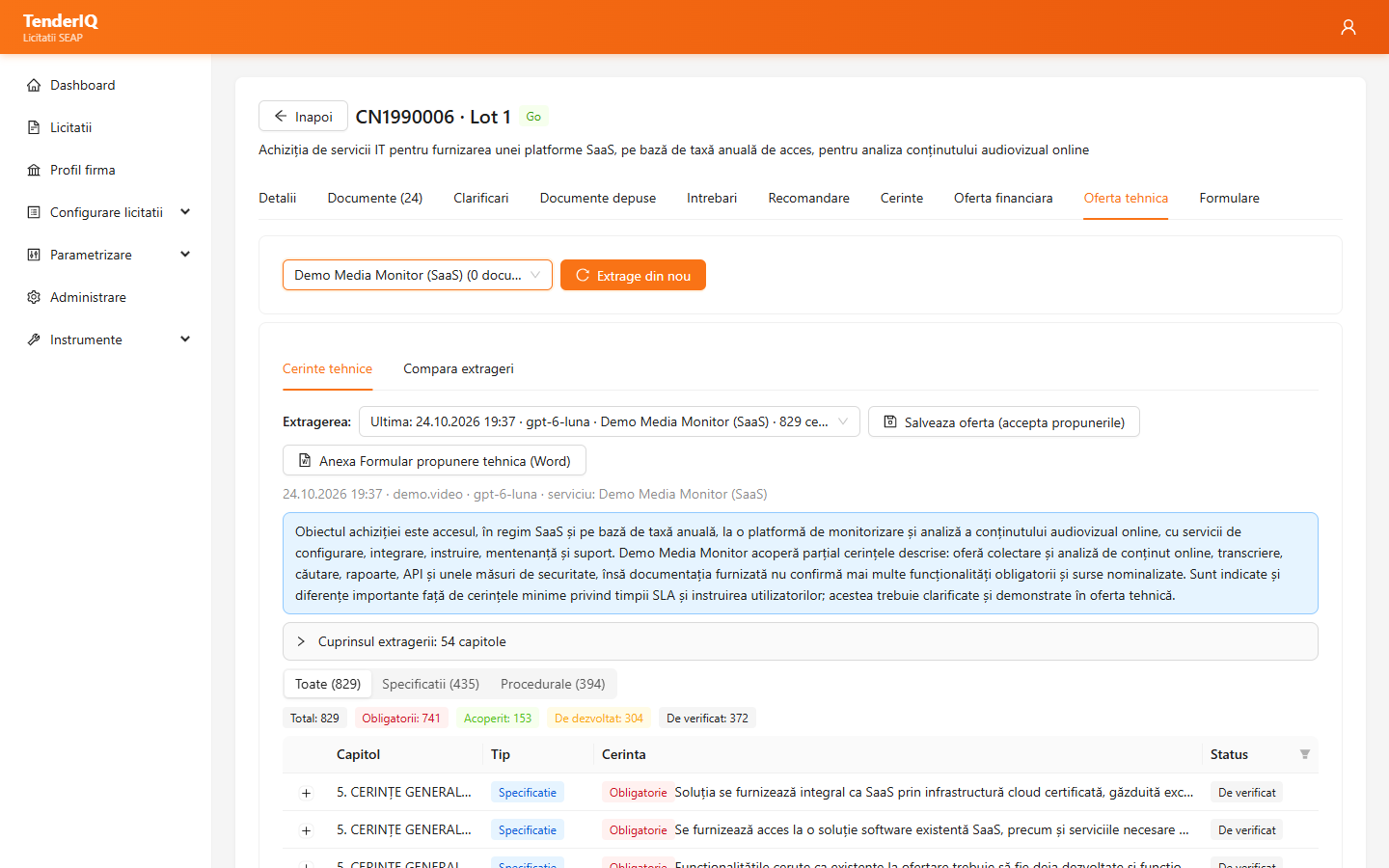
Upload the bid documents and TenderIQ checks each one: signature, which document of the list it is and whether it complies, quoting the problems. The final check shows what is missing and what does not match between documents — for example a price in a form different from the financial offer. Advertising notices (ADV) have a short cycle: verdict and price offer in Word, in a single step.