The Sales module manages partner relationships and the sales flow: the customer and supplier register, sales agents, supplier prices, customer orders and purchase orders.
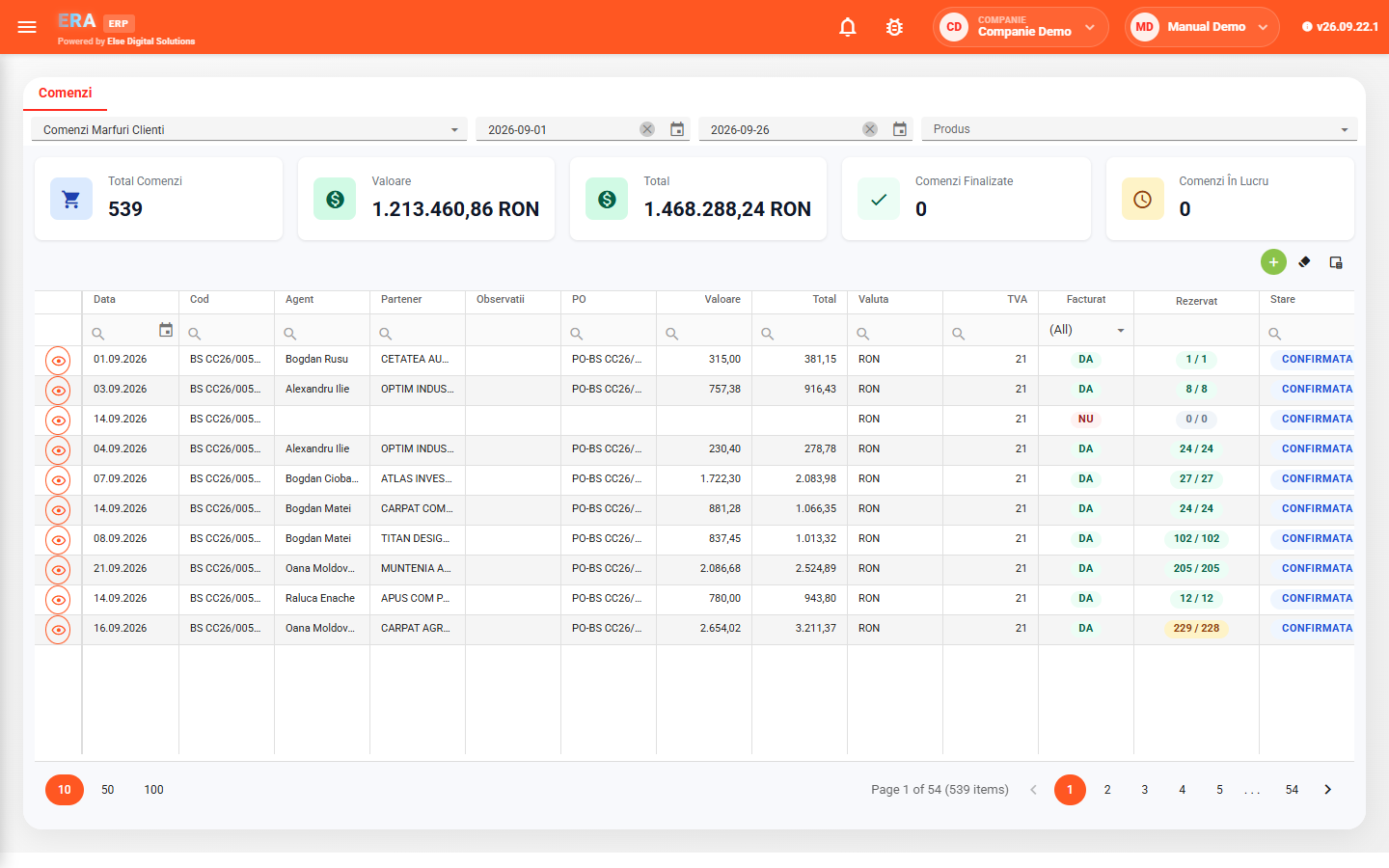
For the chosen order type and period, the order list totals the number of orders, value, total, completed orders and those in progress, and each order shows its invoicing status and reservation level.
What each user can do — see only their own orders or all of them, reserve stock, generate delivery notes and invoices, change credit limits — is set by the rights they are granted.

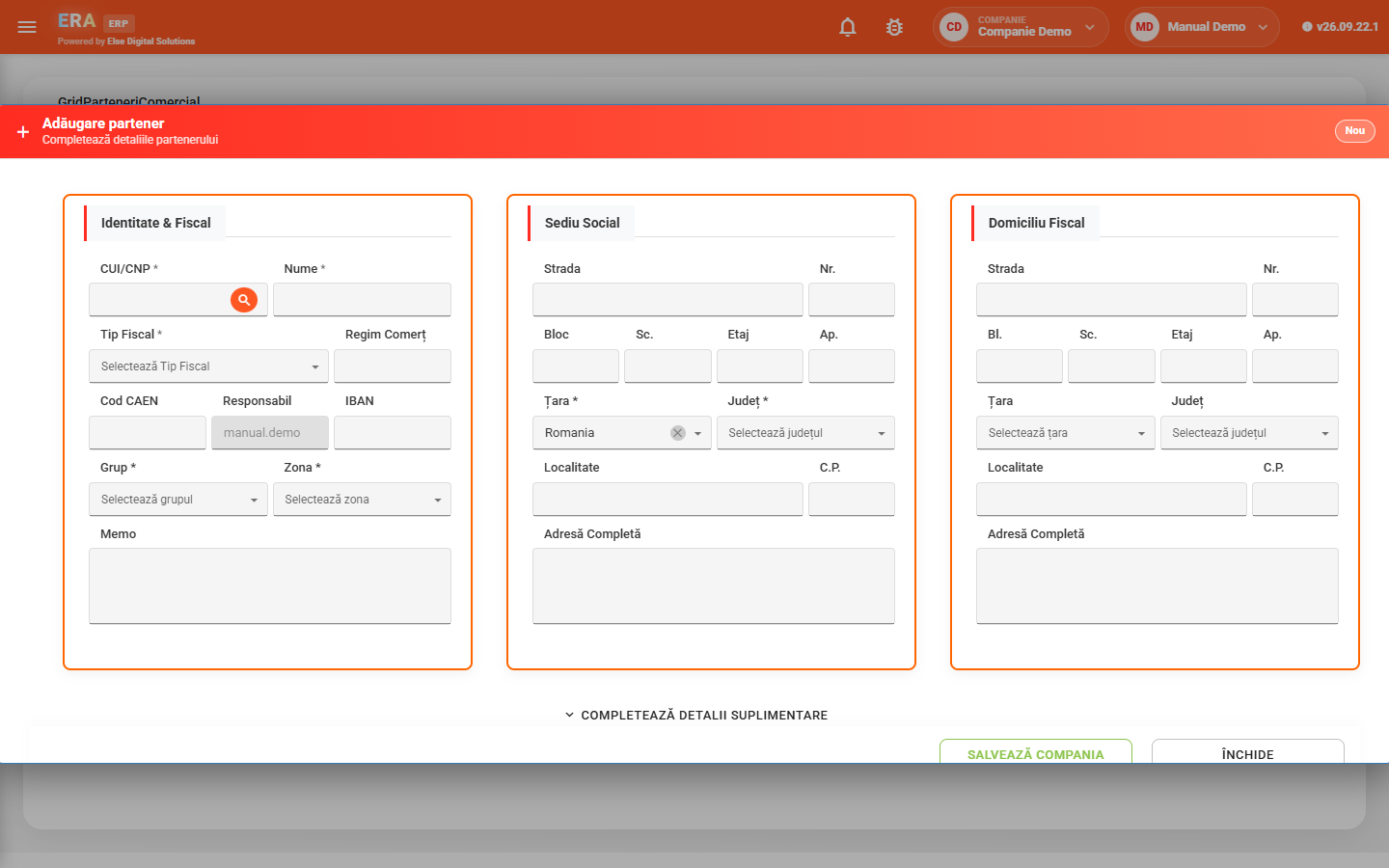
Enter the tax ID and the company data is pulled automatically from the ANAF registry; then add addresses, banks, currencies and delegates.

Agents are organized hierarchically, with subordinates. The agent linked to each user decides which orders and opportunities they see.

Purchase price, currency, supplier stock, code, category and warranty for each product, per supplier, grouped by any column.

Reserve available stock on all lines at once; if the product is in another warehouse, the application creates the transfer note automatically.

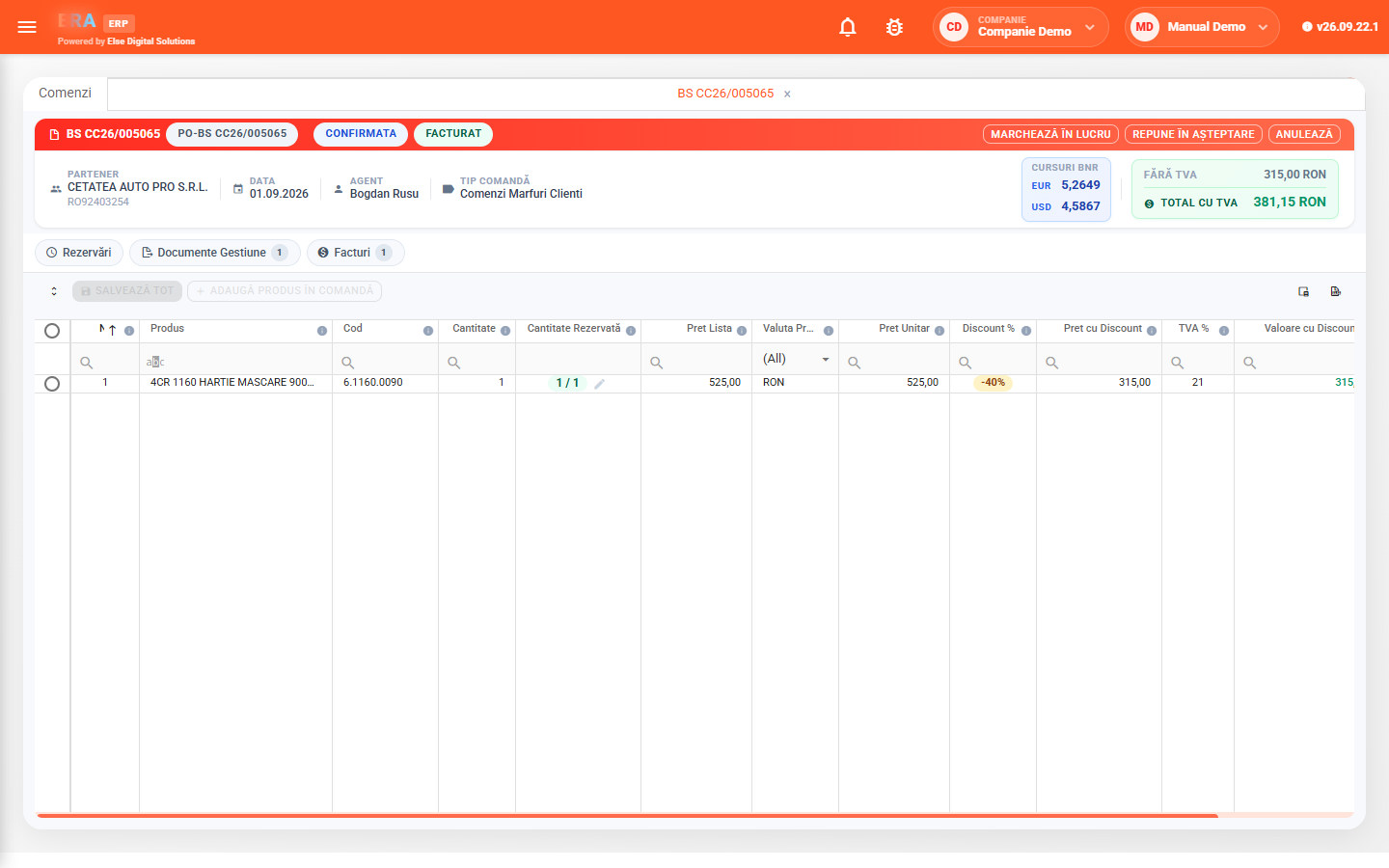
From an order in progress you generate the delivery note, invoice or goods receipt. An order already invoiced can no longer generate a new invoice or delivery note.

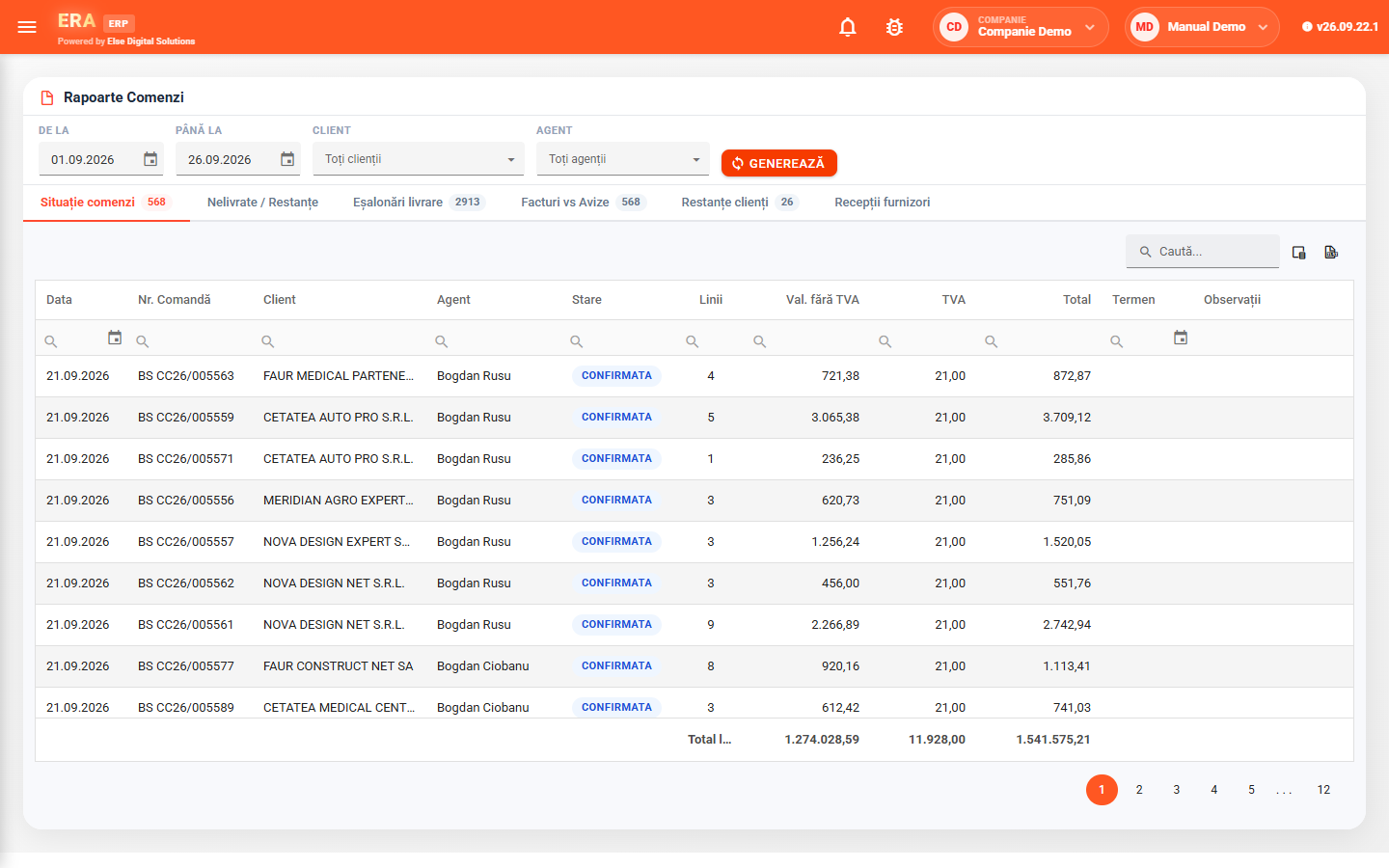
Reports show undelivered lines with days of delay, delivery schedules, invoices vs. delivery notes, customer reservations and supplier receipts.
Enter the tax ID and pull the company data from ANAF, then fill in the tax type, VAT regime, group, area, registered office and, if different, the tax domicile.
The partner card groups tax identity, IBAN, address and the responsible agent.
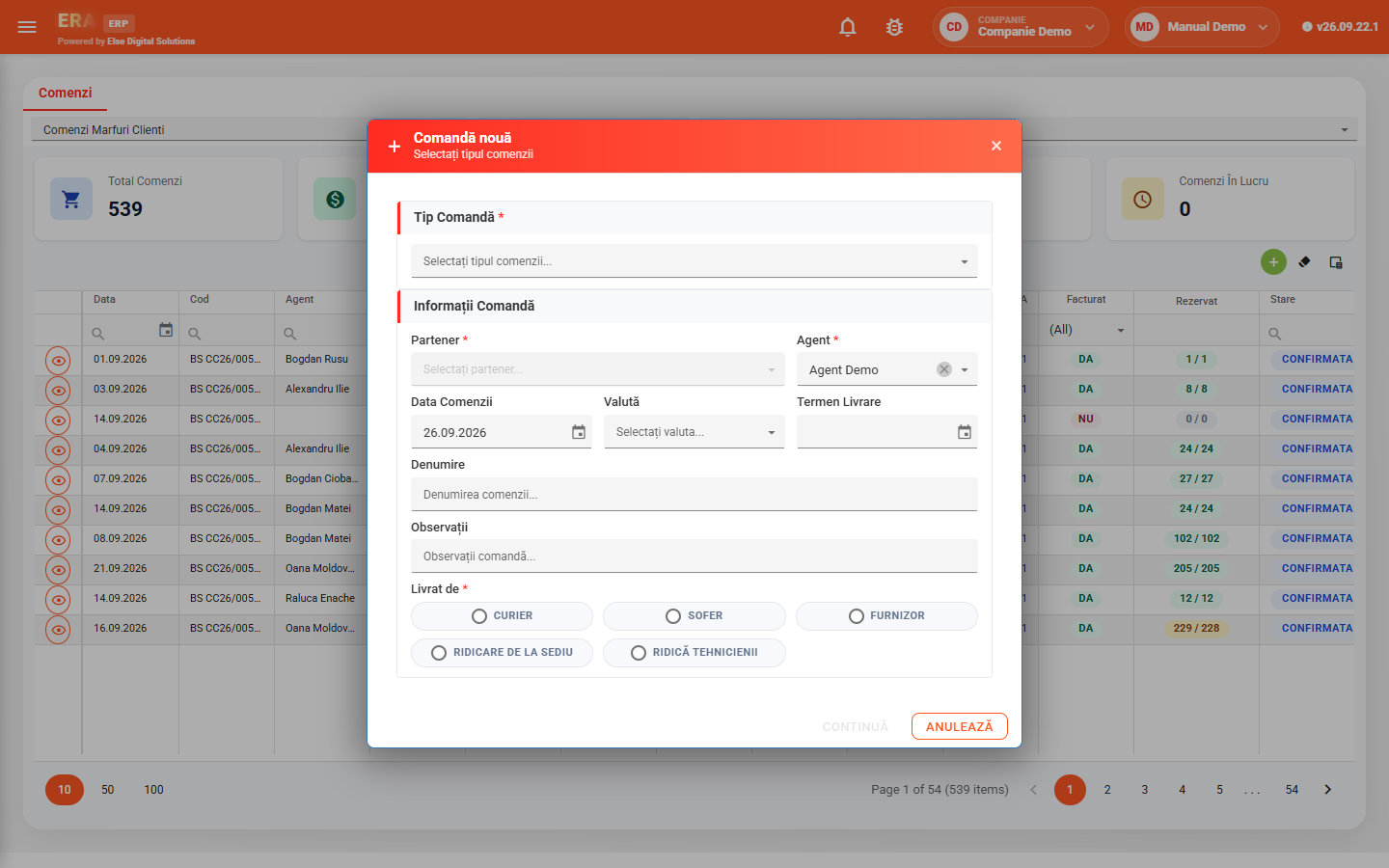
Choose the order type — it decides whether the partner is a customer or a supplier and the invoicing rules — then partner, agent, date, currency and delivery term.
On the order lines, products are searched by code, internal code or name, and price and VAT are filled in automatically.
The order moves through statuses — pending, confirmed, in progress, completed or cancelled. In progress, you reserve stock per line and generate the delivery note, invoice or goods receipt.
Generated documents stay linked to the order, with totals in local and foreign currency.
For the chosen interval, customer and agent you see the order status, backlog, delivery schedules and how orders match invoices, delivery notes, reservations and receipts.