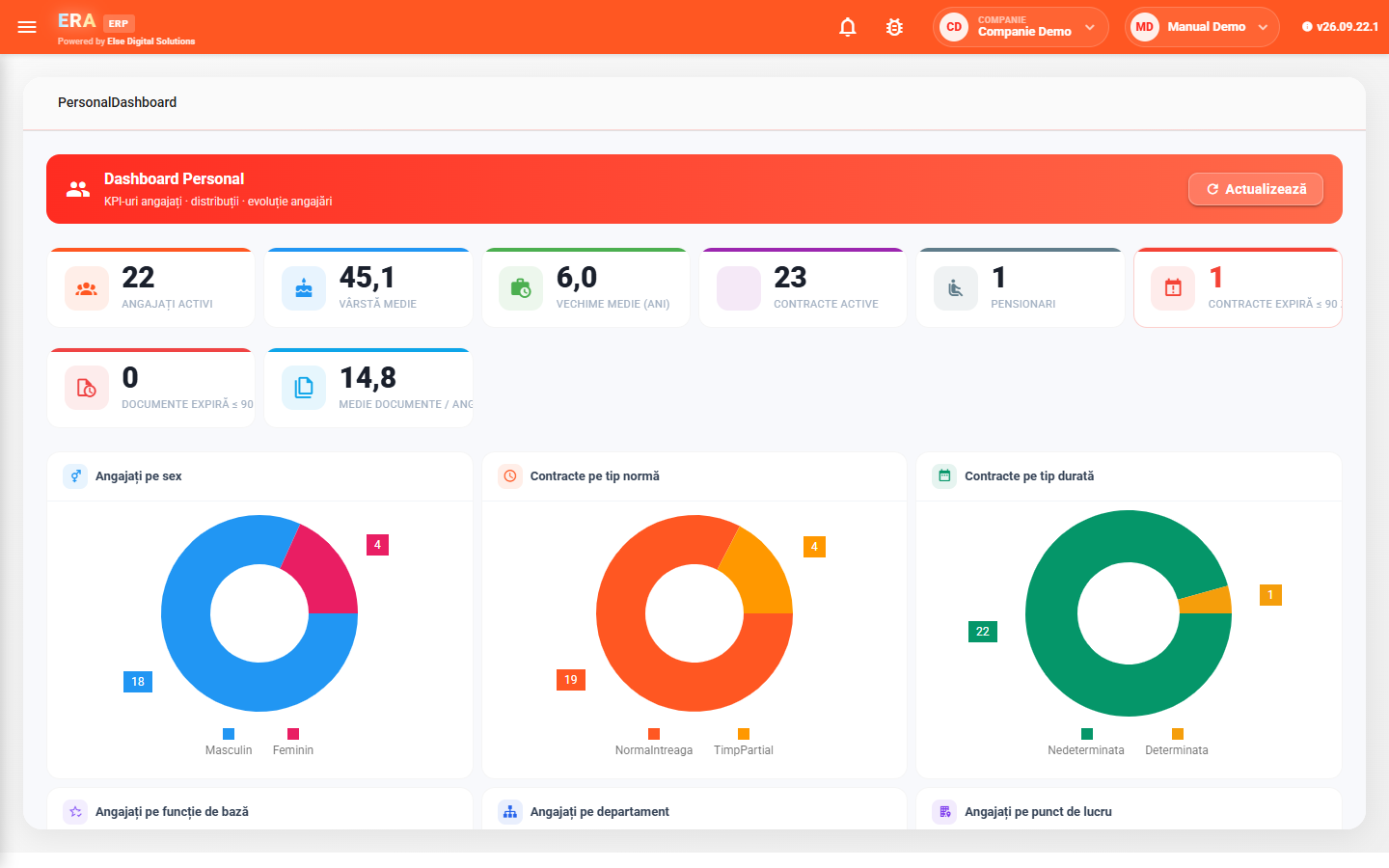
The HR department keeps employee files, contracts, the org chart, leave and every employee's documents in one place, with a dashboard that shows at a glance active employees, contracts about to expire and overdue documents.
Payroll covers the whole monthly flow: daily timesheets, the month's bonuses, allowances and deductions, simulation, salary calculation and month closing. The calculation model (variables, constants, formulas) is configurable, and the net – gross – total employer cost simulation helps when making a job offer.
Employees use the portal from any device: they view and print their payslips, see their timesheet and leave balance, and submit leave requests, other requests, certificate requests, expense reports and vehicle logs, which go automatically through the configured approval flow.

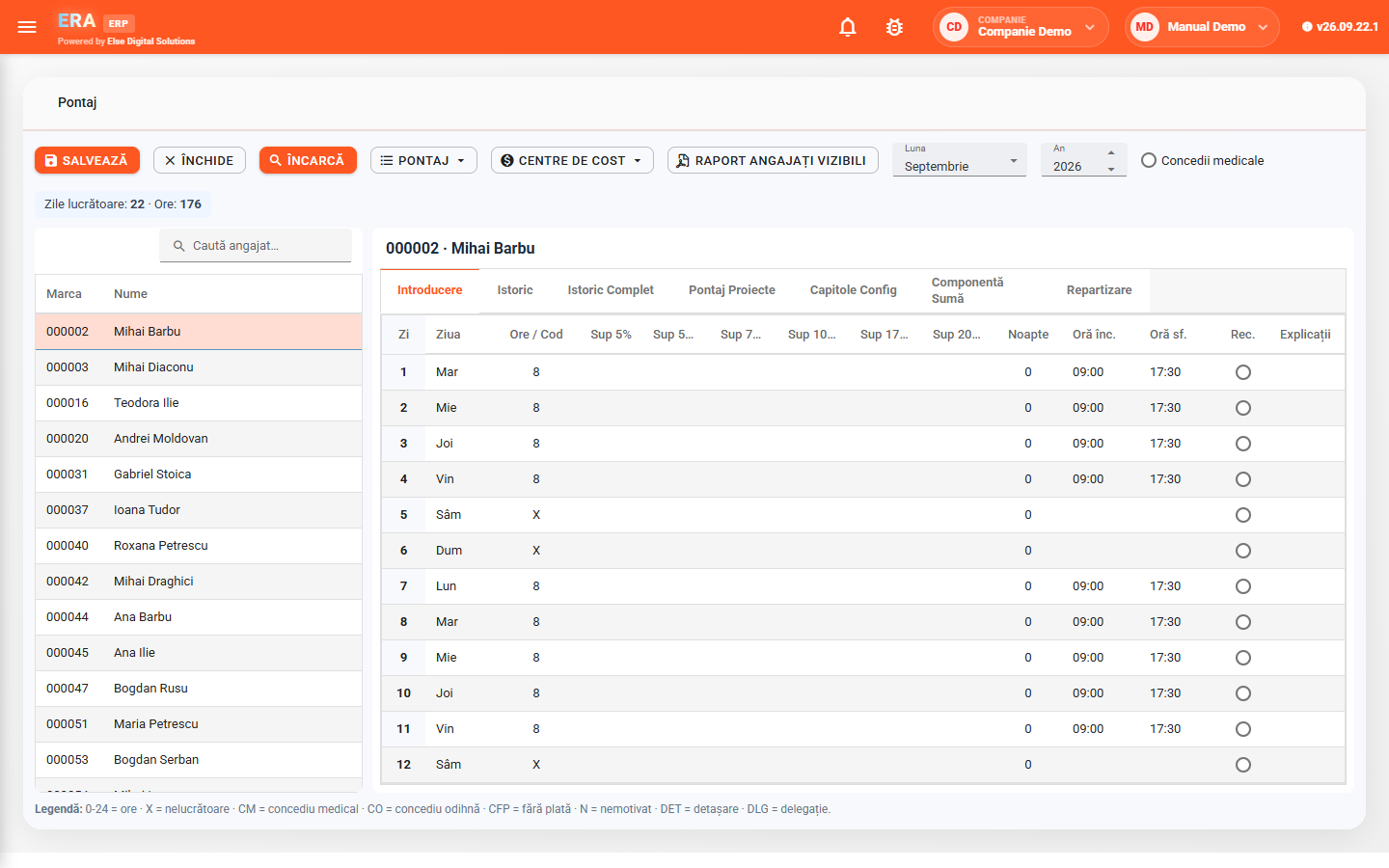
The month's timesheet, with hours, allowances, night hours and absence codes (annual leave, sick leave, unpaid leave, business travel), is pulled into the calculation automatically, together with leave. Variable values are entered only where needed.

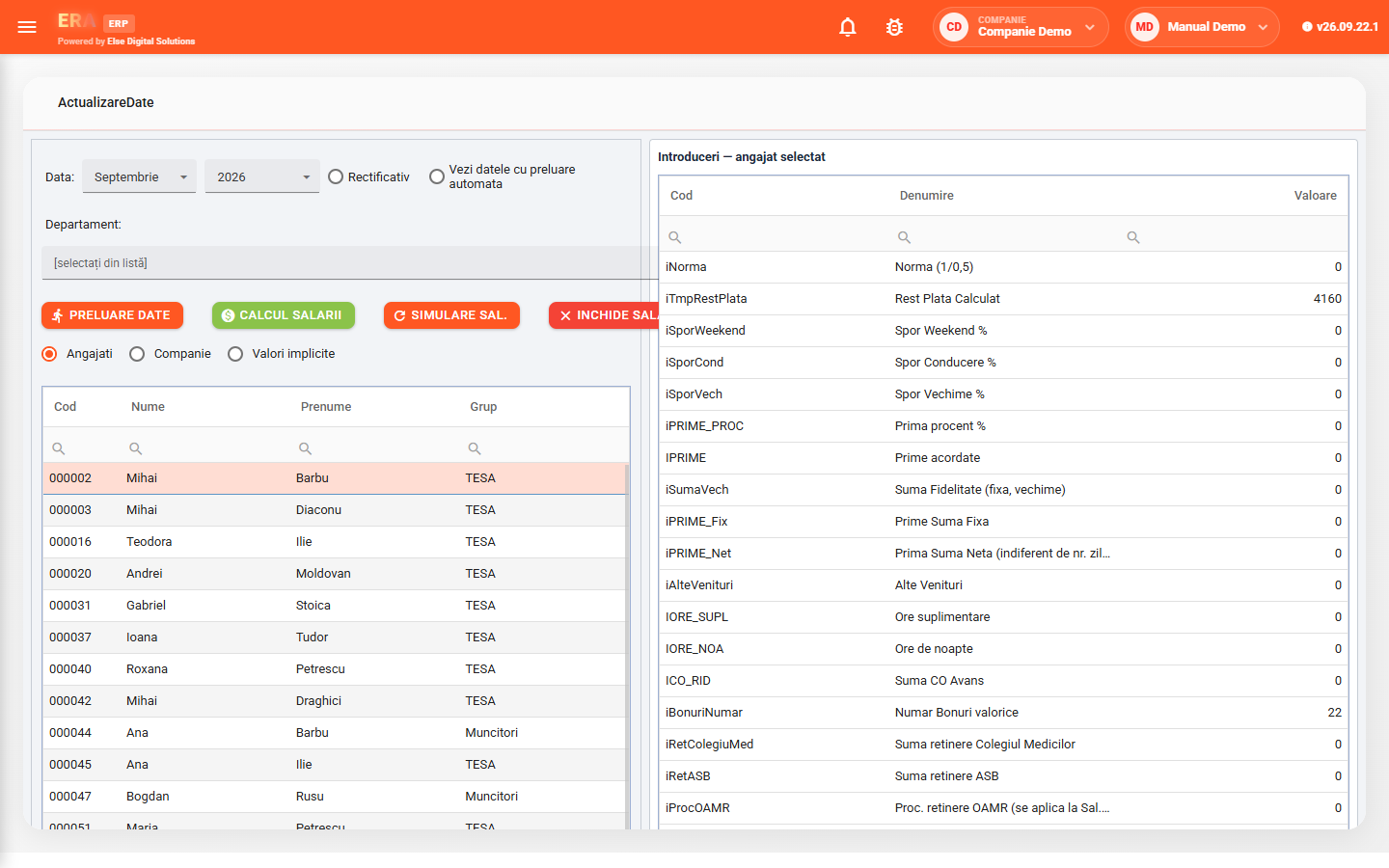
Run a payroll simulation, review the results, then calculate for real and close the month. Corrections to a closed month are made on a corrective month, without breaking the history.

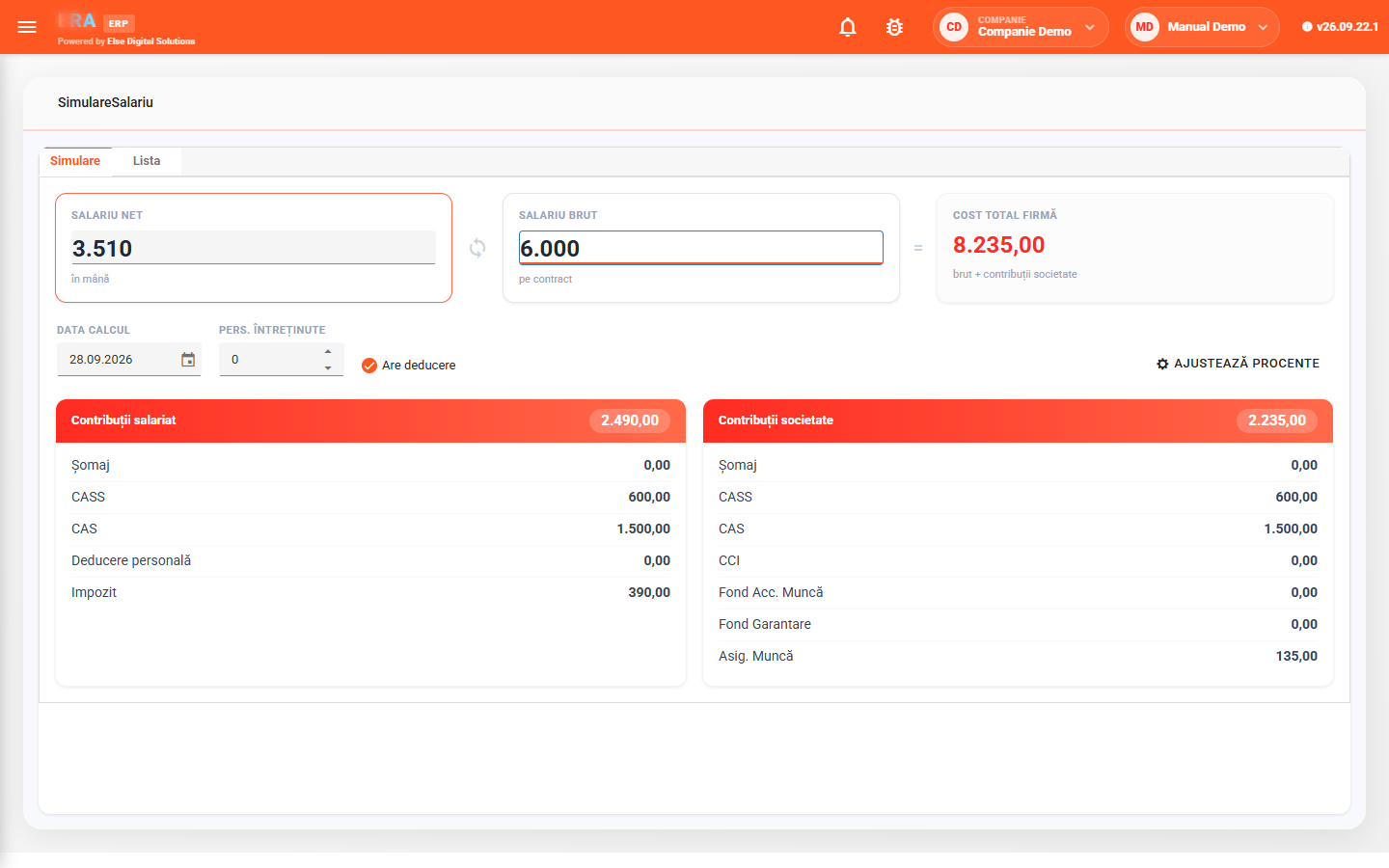
The simulation works both ways between net salary, gross salary and total cost to the company, with a breakdown of employee and employer contributions — useful when making a job offer.

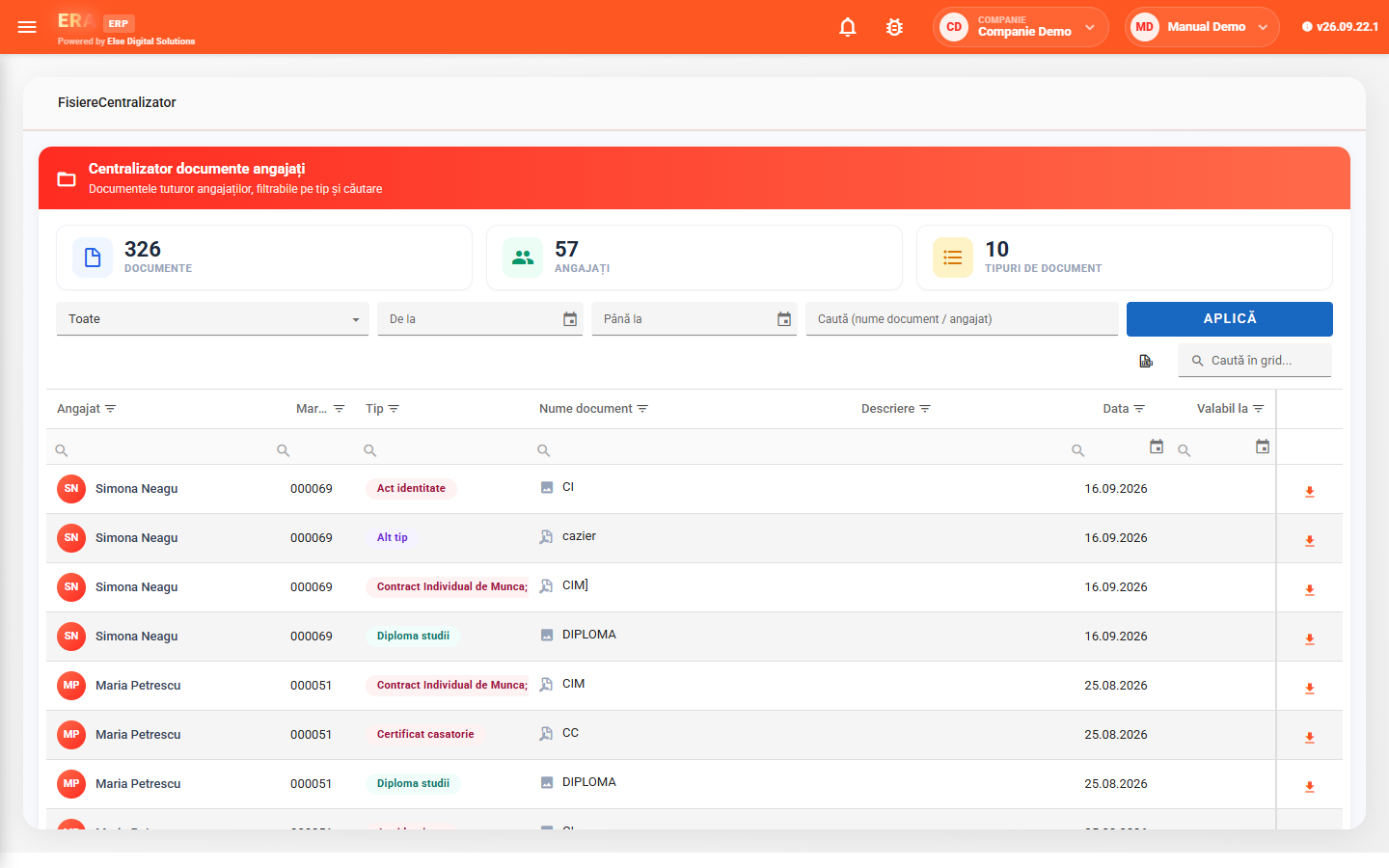
Employee record, ID documents, labour registry data, contracts, medical certificates and uploaded documents (diplomas, certificates), with the expiring ones flagged.

Payslips, timesheet history and leave balance are in the portal, 24/7. Leave requests, certificates and expense reports are submitted online, with no emails or paperwork.

Requests and expense reports go through the approval steps configured per department (direct manager, replacement, named persons), with email notifications and a history for every document.
Each employee's file brings together identification, ID documents, labour registry data, employment contracts, addresses, leave and medical certificates. The org chart shows departments, positions, holders and vacancies, in versions with a validity period.
The document register gathers the files uploaded for all employees (contracts, diplomas, certificates) and flags expiring documents.
For each employee you enter, per day, the hours worked or an absence code — annual leave, sick leave, unpaid leave, business travel — plus overtime and night hours. The top bar shows the month's working days and hours.
Payroll cost can be allocated to cost centres and projects.
In Update data you pull the month's data automatically (timesheet, leave) and fill in only the variable values: bonuses, allowances, overtime, deductions. Then:
The payroll model (input variables, constants with validity periods, calculation transactions) and the salary grids per position are configured in the application.
Enter the net or gross salary and the other is calculated automatically, together with the total cost to the company. You see the breakdown of employee contributions (pension, health, income tax, deductions) and employer contributions, take dependants into account and keep simulations in a list for comparison.