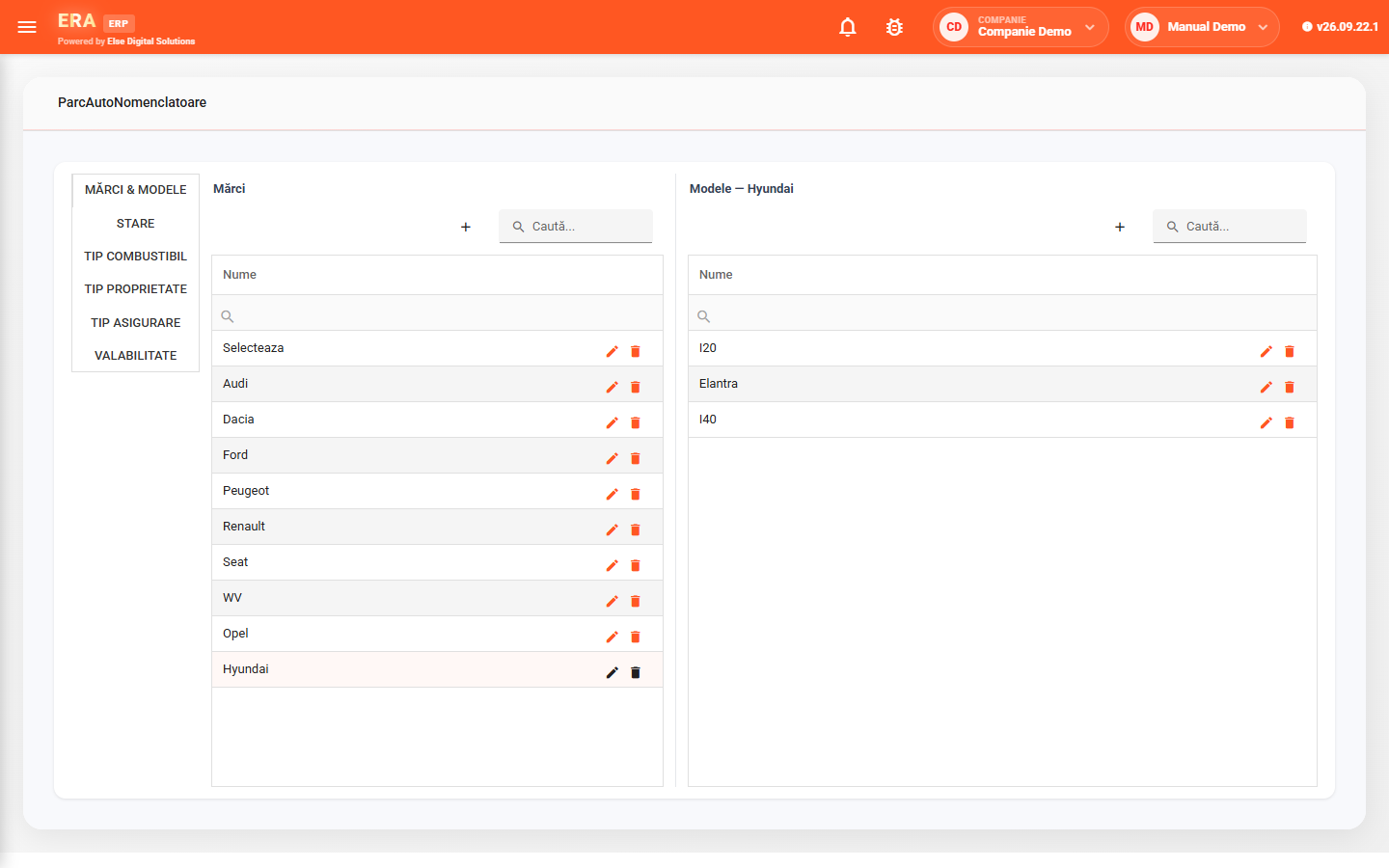
The Fleet module keeps track of the company's vehicles, their documents (motor insurance, comprehensive insurance, technical inspection, road toll), maintenance and service work, and vehicle logs.
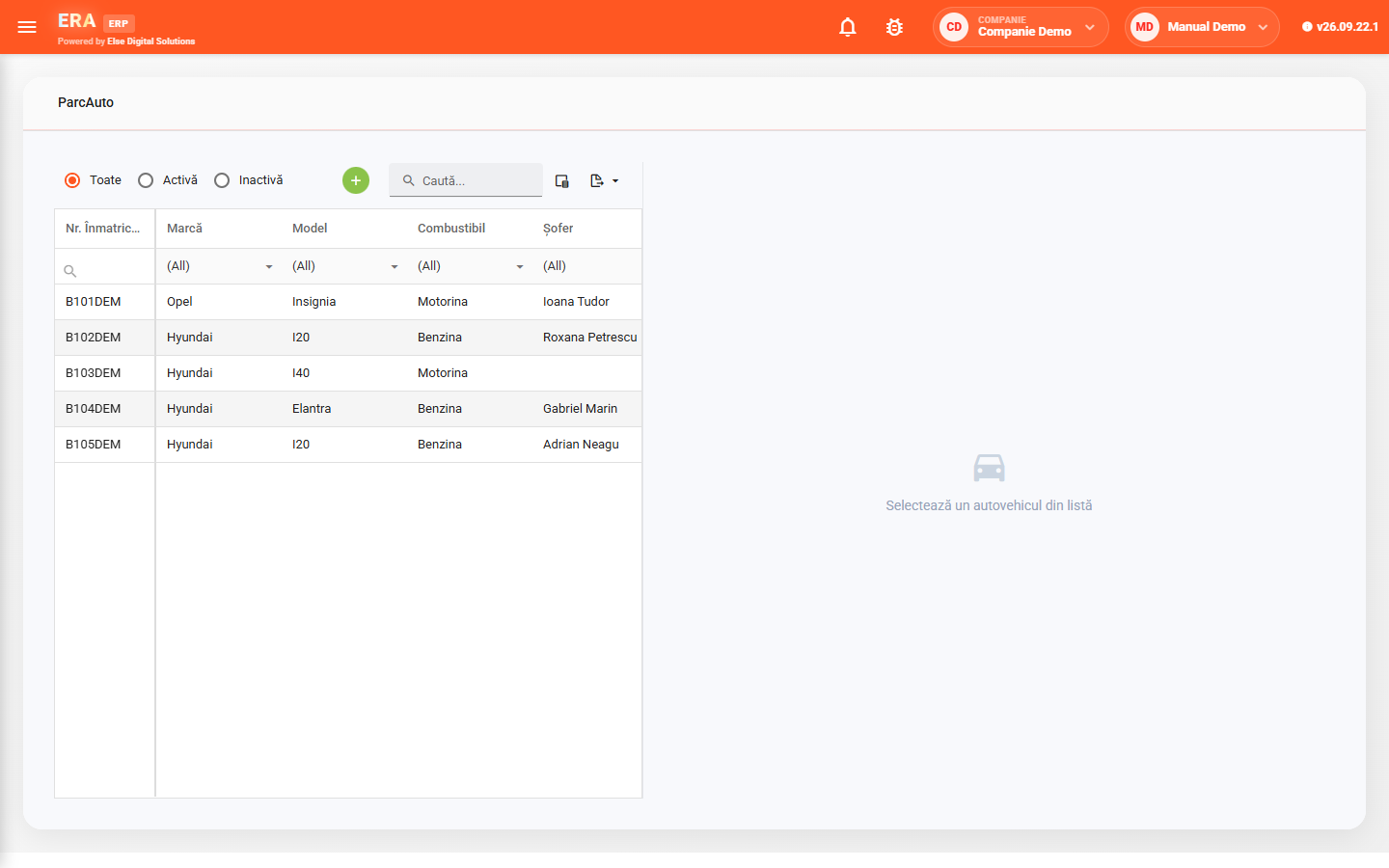
The vehicle list shows registration number, make, model, fuel and driver, with a filter for active or inactive vehicles.

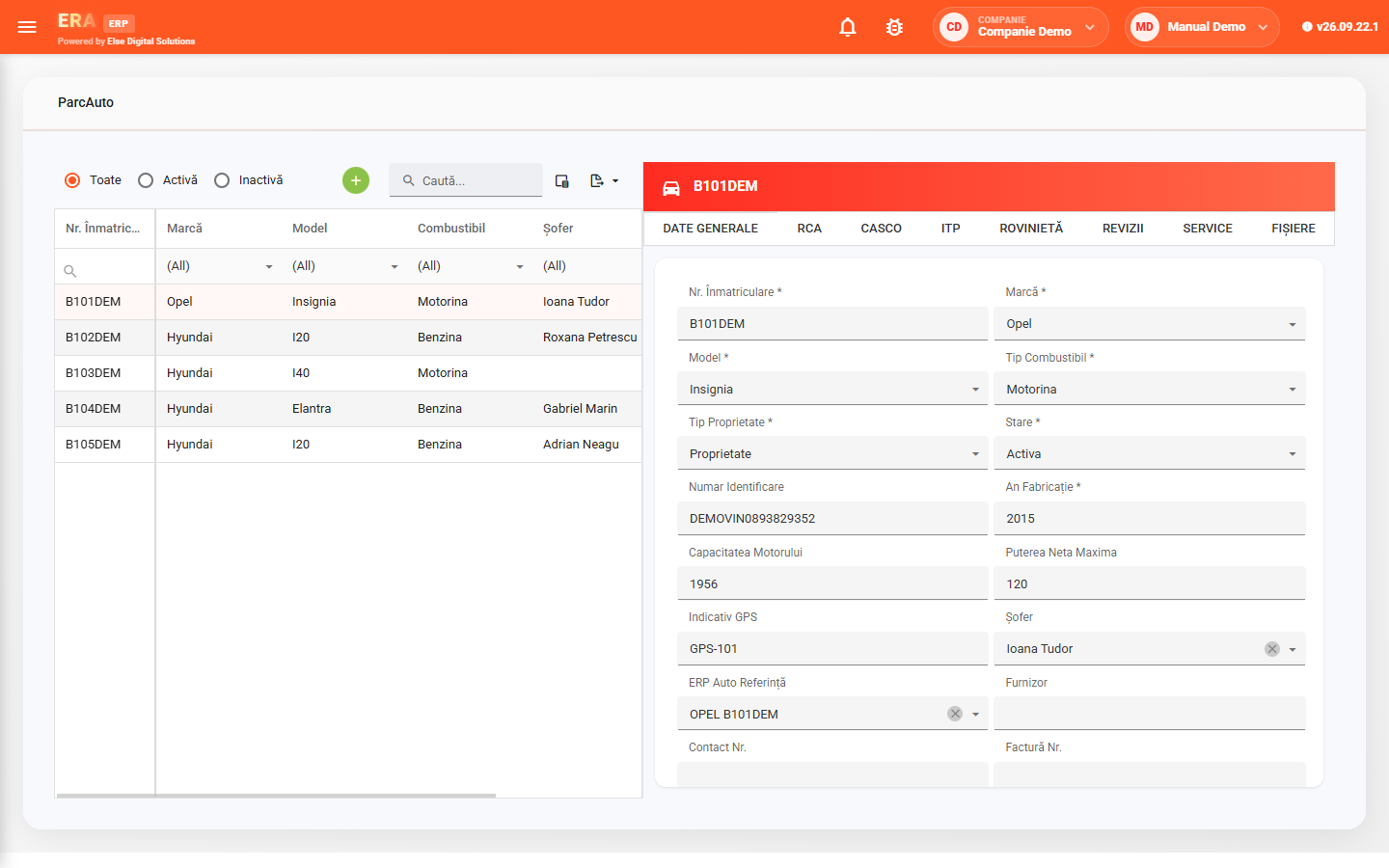
Registration, make, model, fuel, ownership type, status, chassis number, year of manufacture, engine size, power and driver.

Motor insurance, comprehensive insurance, technical inspection and road toll, each on its own tab, with its validity period.

Maintenance and technical work is recorded per vehicle, together with its costs.

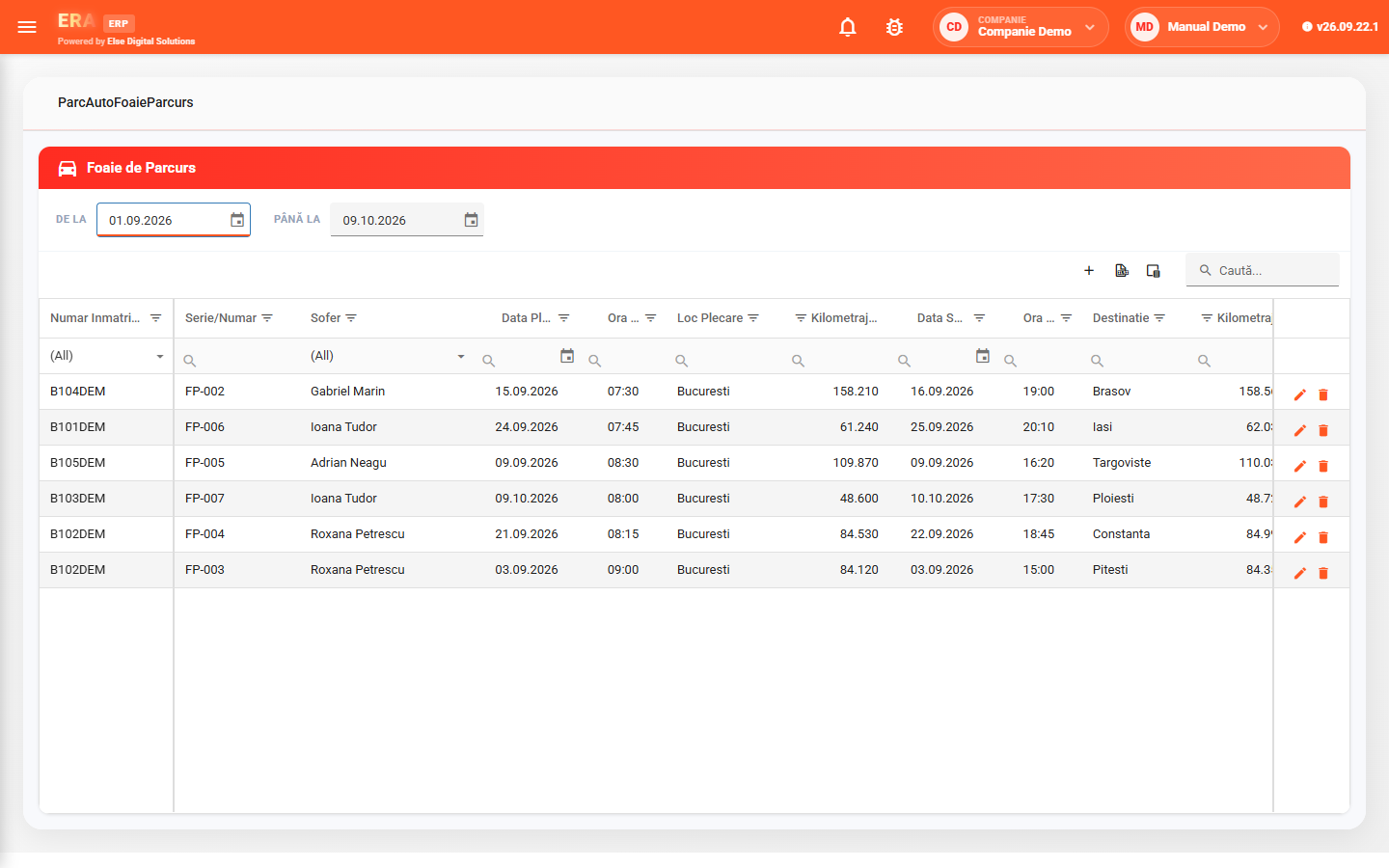
Vehicle, driver, departure and arrival, kilometres, route and fuel consumption, filtered by period.

Registration papers, policies and the vehicle's other documents sit on the Files tab, next to its data.

Each vehicle can be linked to its fixed asset; makes, models, statuses and types are defined in the registers.
Double-clicking a vehicle opens its record, with the General data, insurance, inspection, road toll, Maintenance, Service and Files tabs.
Vehicle logs hold vehicle, driver, departure and arrival dates, kilometres, route and consumption, and are filtered by period.
Makes and models (models appear for the selected make), statuses, fuel types, ownership types, insurance types and validity periods.