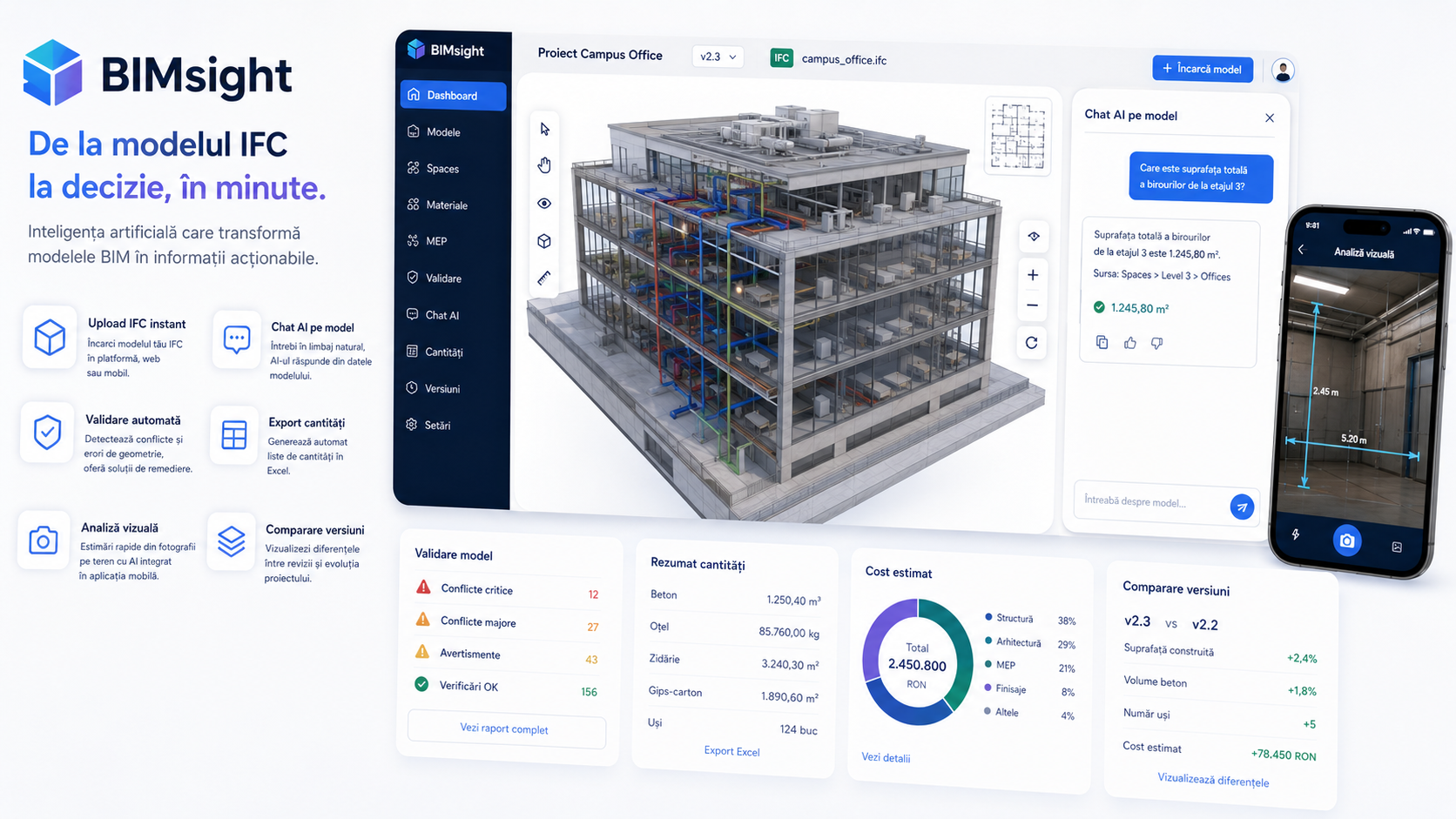

BIMsight is a web and mobile platform that adds artificial intelligence on top of the BIM model. The architect uploads the IFC file, the platform automatically extracts spaces, materials and MEP elements, validates geometry and generates quantities in Excel.
AI chat on model: you can ask “what is the total area of offices on floor 3” or “list all doors with width under 90cm”.
The mobile component adds visual analysis from the camera for preliminary on-site estimates.

Any IFC model uploaded to the platform — web or mobile. Automatic extraction starts immediately, without special configuration.

Ask in natural language: “total office area”, “facade materials”, “doors under 90cm”. The AI responds from the model data, not from memory.

Quantities list automatically generated from the model, ready for estimates and tenders. Updated at every revision without manual work.

Geometric conflicts and common errors are automatically identified. Auto-fix for standard issues, detailed report for complex ones.

On site, the phone camera estimates dimensions and materials from a photo. Useful for pre-surveying and quick estimates in the concept phase.
Every model revision is versioned. Differences between versions are automatically visible — which spaces changed, which quantities varied.
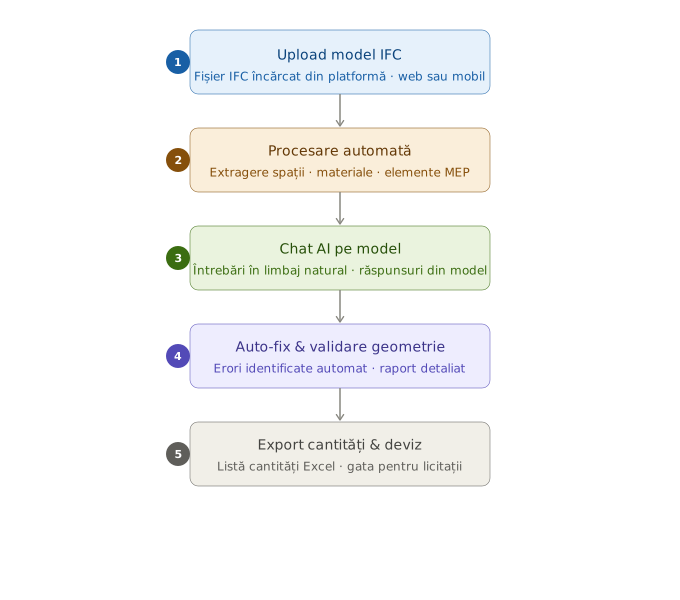
The architect uploads the IFC file directly from the platform, web or mobile.
The platform extracts spaces, materials, MEP elements and generates the model structure.
The user asks questions in natural language and receives answers from the model data.
Geometric errors are identified and automatically corrected where possible.
The quantities list is exported to Excel, ready for estimates and tenders.