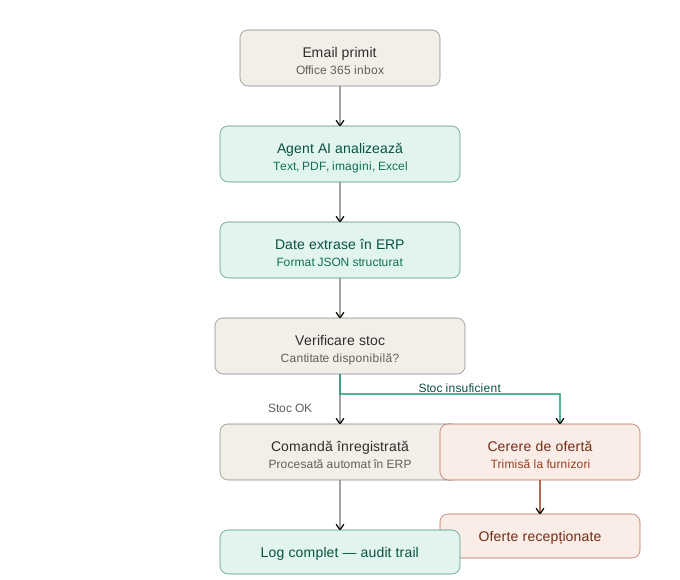
QuoteFlow automatically reads the responses your suppliers send to the requests for quotation your company has sent out — emails with plain text or attachments in any format: PDF, Excel, Word, scanned images, or manually imported .msg/.eml files. Using artificial intelligence, it extracts prices, quantities, delivery terms and every other relevant detail from the quote, following exactly the data schema you define, and enters it automatically into your ERP system — no manual re-entry required. Every processed quote stays visible in the application, together with its result: it can be checked, reprocessed, or resent to the ERP at any time, with nothing lost along the way.


Every piece of information extracted by AI follows a data schema (JSON Schema) you define. No wrong fields, no mistyped numbers, no missing data — regardless of how many quotes are processed.

The agent runs continuously, 24/7. A quote received at midnight is processed and recorded in the system before morning begins.

Manually processing supplier quotes consumes valuable resources. QuoteFlow takes over this task completely, letting your team focus on negotiation and decisions, not data entry.

Plain text in the email body, PDF (even scanned), Excel, Word, or manually imported .msg/.eml files. The PDF processing mode can be tuned specifically for quotes with complex tables, so data doesn't come out wrong.