SourceFlow is a software platform that automatically identifies the right product from a request — regardless of how it arrives: email, PDF, Excel, Word, or any other document format. The system reads the technical specifications in the request, recognises the matching product even without an exact code, simultaneously checks your own stock and dozens of supplier sources, and compares prices in real time. The result — one or more compatible options, each with price and availability at a glance — can be turned into a ready-to-send quote instantly. All in a single workflow, with no manual intervention at any step. It is used actively to identify products for roughly 200 requests received every month.
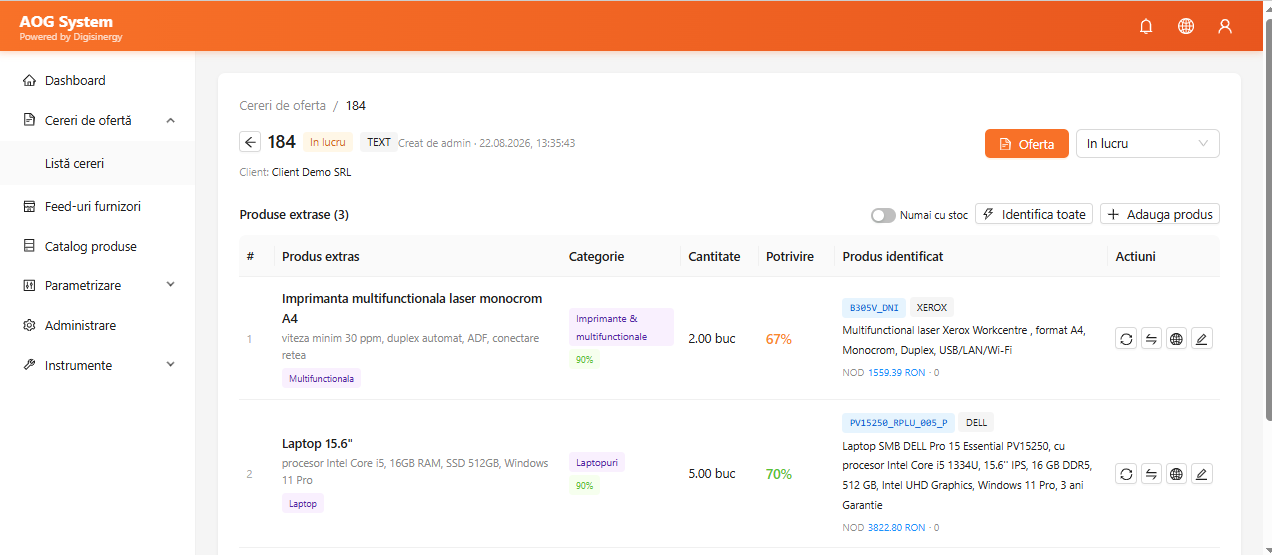

From the technical description in the request — not necessarily a specific model — the system recognises the matching product by comparing specifications against the entire catalogue.

Once the product is identified, the system simultaneously checks your own stock and that of dozens of suppliers, along with the price of every available option.

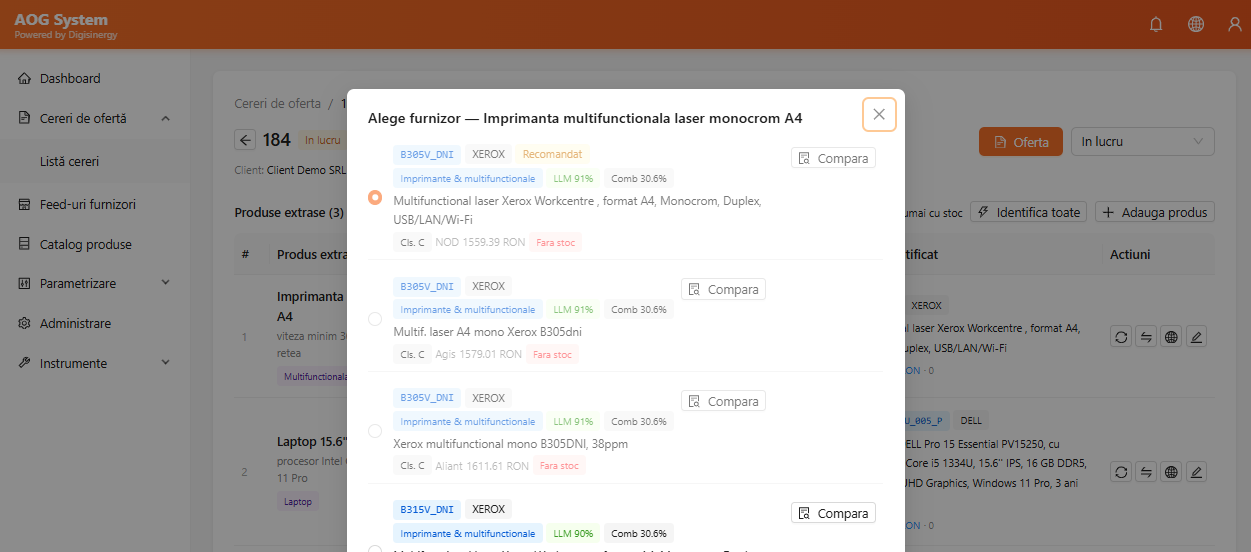
The client can receive several compatible products, each with price and stock visible at a glance — not just the first match found.
A real request, from raw text to a quote with final pricing. Real screenshots from the application — the request and client are a demonstrative example with fictitious data; the products, prices and suppliers come from the real catalogue used in production.
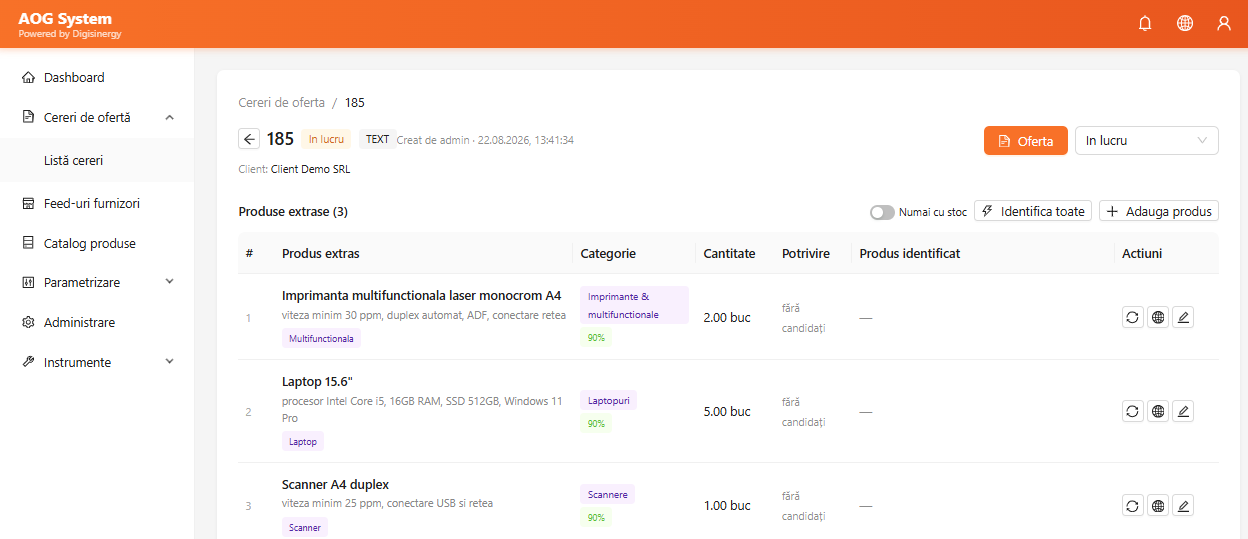
The request document or text is automatically turned into structured products — quantity, category, specifications — without manual copying into Excel.
The “Identify all” button reads the specifications of every requested product and finds the matching option — even without an exact model — then searches your own stock and suppliers’ stock for the best price.
Each request can match several compatible products — the agent sees all options at once, from own stock or from suppliers, with price, stock and match score, with the recommended one clearly marked.
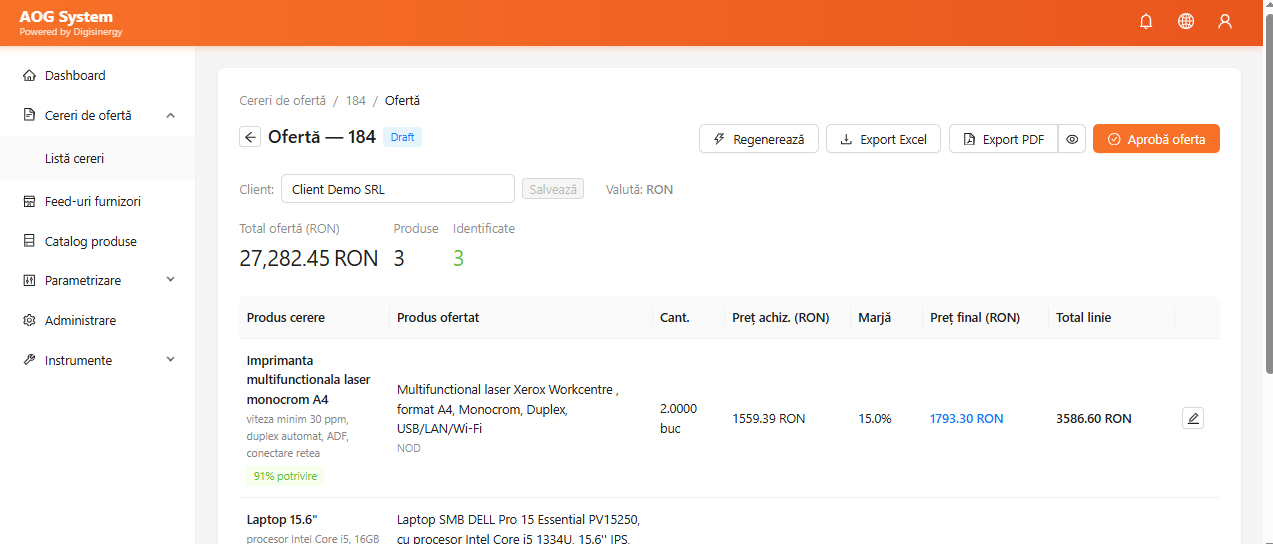
The margin is applied automatically on top of the purchase price for each product; the total is recalculated instantly, with no manual formulas in Excel.