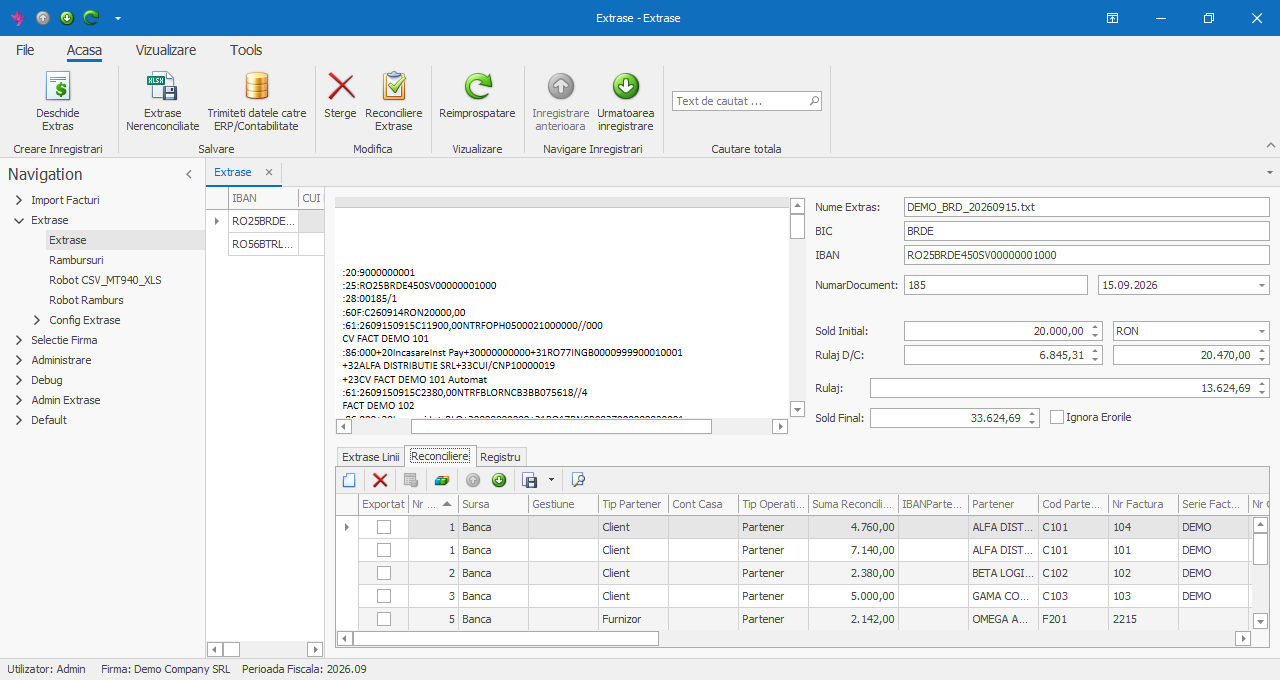
BankOn takes the account statements you receive from your banks — MT940, CSV, XLS/XLSX or XML — and turns them into transaction lines: value date, amount, counterparty with its IBAN, and payment details. The import robots recognize the bank and file format automatically, and each statement's balances are checked on import.
It then reconciles every transaction against open invoices: a receipt from a customer settles that customer's invoices, a payment to a supplier settles that supplier's invoices, a bank fee goes to the expense account. You review the result on a single screen and send it to your accounting software (ERP).
The same flow works for cash-on-delivery statements from couriers and payment processors (Cargus, Fan Courier, Sameday, Netopia, PayU).
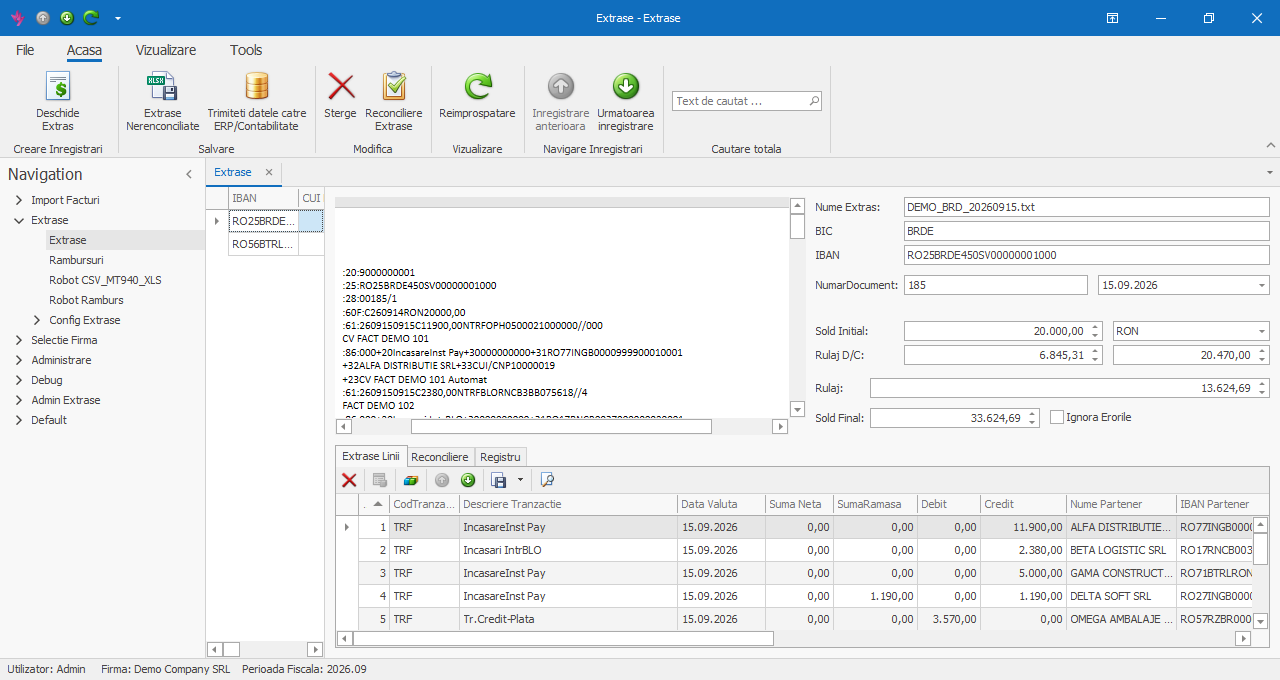

MT940, CSV, XLS/XLSX or XML — the bank and format are recognized automatically from the file content. Open several statements at once; every transaction appears as a line, next to the original document.

One receipt can settle several invoices, oldest first, and one invoice can be settled by several receipts. The remaining amount to collect or pay is updated on every invoice.

The counterparty is identified by IBAN, name or tax ID. IBAN → partner matches learned during reconciliation are kept, so on later statements the partner is recognized even when the name is spelled differently.

Each transaction type has a rule: customer receipts to account 4111, supplier payments to 401, bank fees to 627, tax payments straight to their own account. Rules are set up at go-live and applied to every statement.

The closing balance is compared with the opening balance plus turnover, files imported twice are flagged, and for an unknown IBAN the app offers to create the account. Transactions without a matching invoice stay visible as unreconciled and can be exported to Excel.

Reviewed reconciliations go to your accounting software with a single button, and sent lines are marked as exported. The ERP link works via API or accounting entries, depending on the software you use.
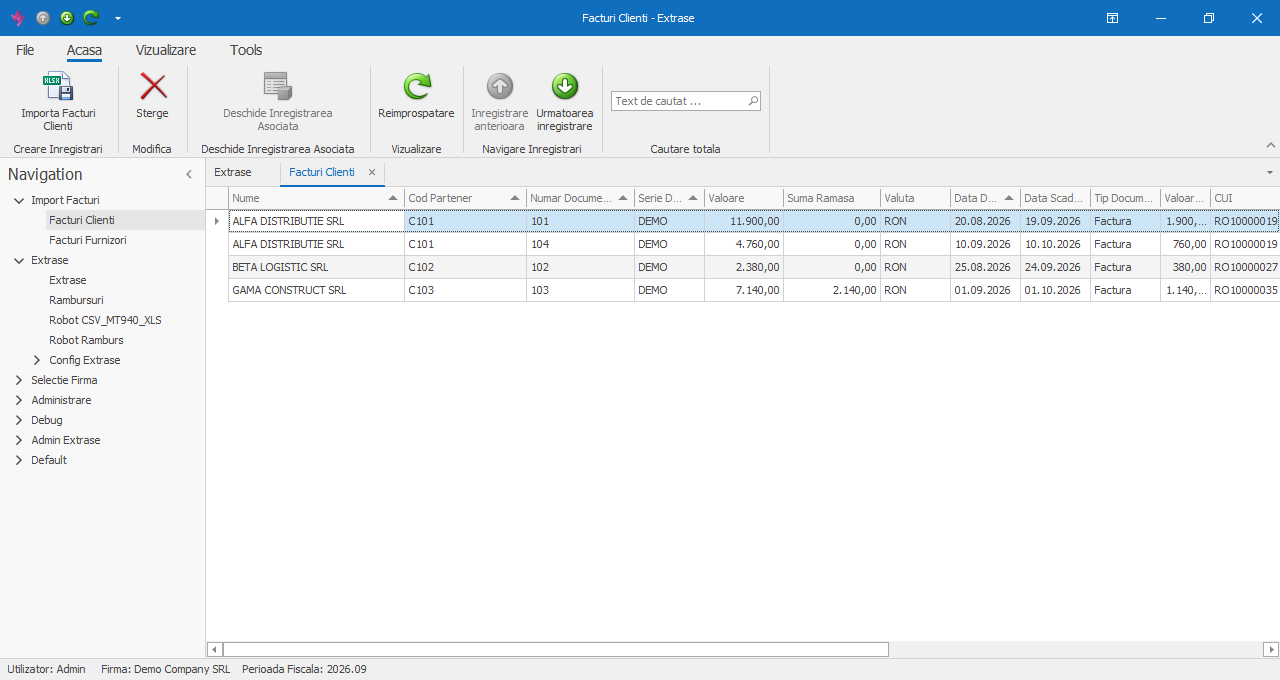
For every receipt or payment, reconciliation looks up the counterparty's open invoices. You bring them in from the Excel files exported by your accounting software, with Import Customer Invoices and Import Supplier Invoices: replace all of the company's invoices, or add only the missing ones.
File columns are recognized through a mapping set up once, so you can use your usual accounting export.
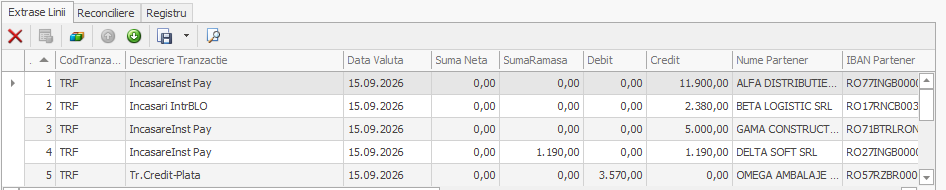
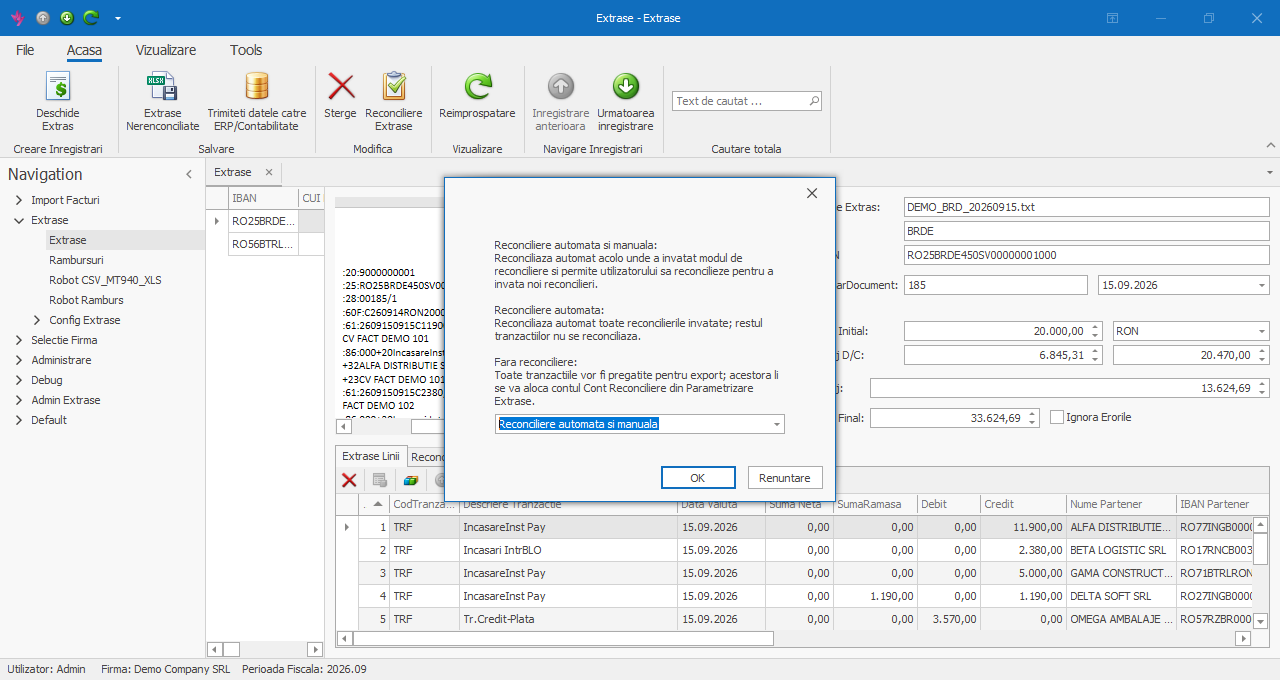
Click Open Statement and pick one or more files. BankOn recognizes the bank and format, fills in the header (bank, IBAN, number, balances) and creates one line per transaction: code and description, value date, debit and credit, counterparty with its IBAN, and payment details.
The original statement stays visible next to the data, and the file is archived automatically after import.
Click Reconcile Statements and choose the mode:
Reconciliation rules and import robots are set up by our team at go-live.
The Reconciliation tab shows, for every statement line, the invoice or account the amount was allocated to. Transactions without a matching invoice stay unreconciled and can be exported to Excel for review.
Send data to ERP/Accounting sends the reconciliations to your accounting software, and sent lines are marked as exported.