The Inventory module tracks product quantities and values per warehouse: current stock, analytical stock balance, stock card, inventory counts, movement reports and period closing.
For the chosen warehouse, the dashboard shows the number of products in stock, total value, active warehouses, products with negative stock and those with no movement, monthly receipts and issues and the top products by stock value.
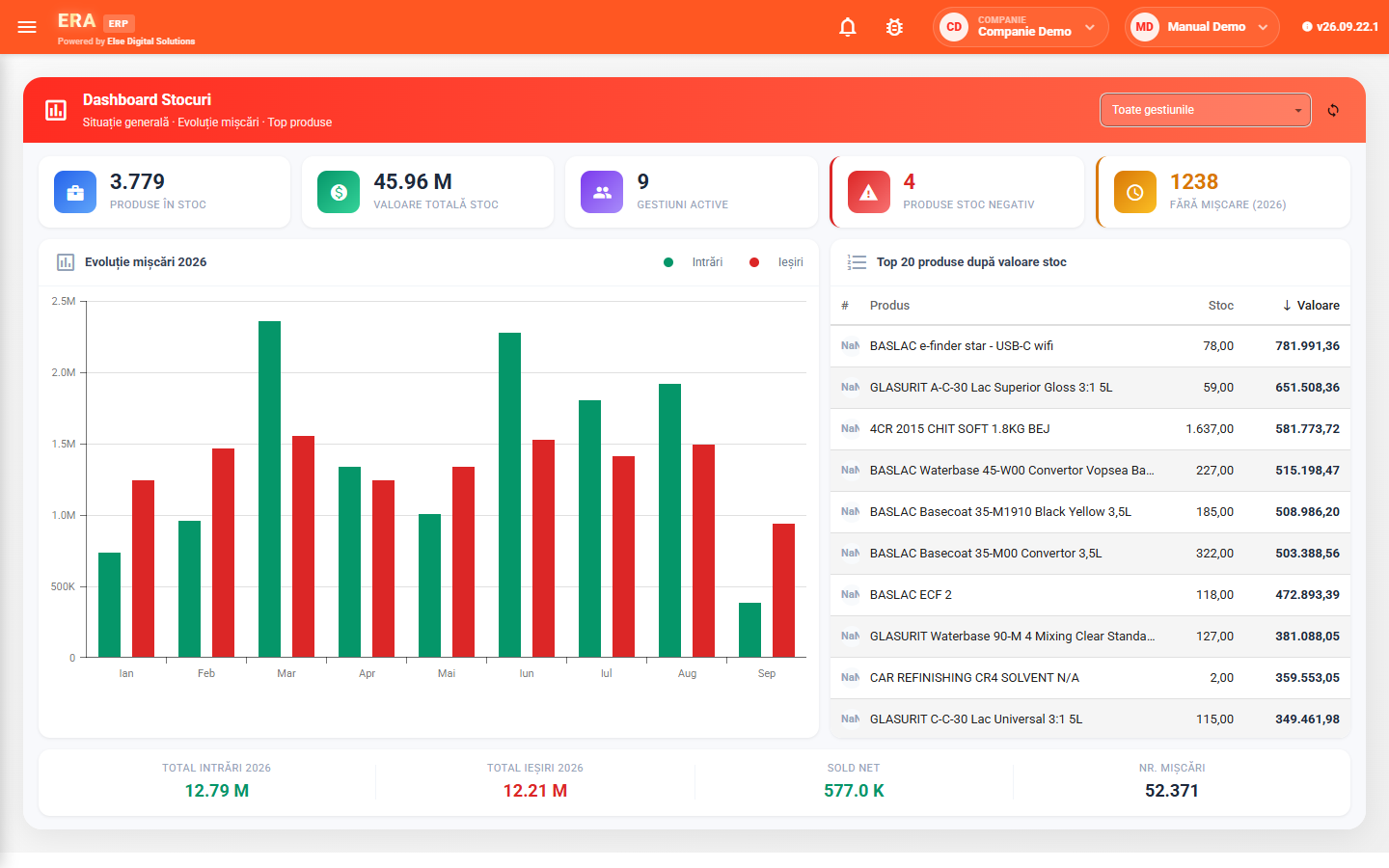

The dashboard flags products with negative stock and those with no movement, next to total value and the trend of receipts and issues.

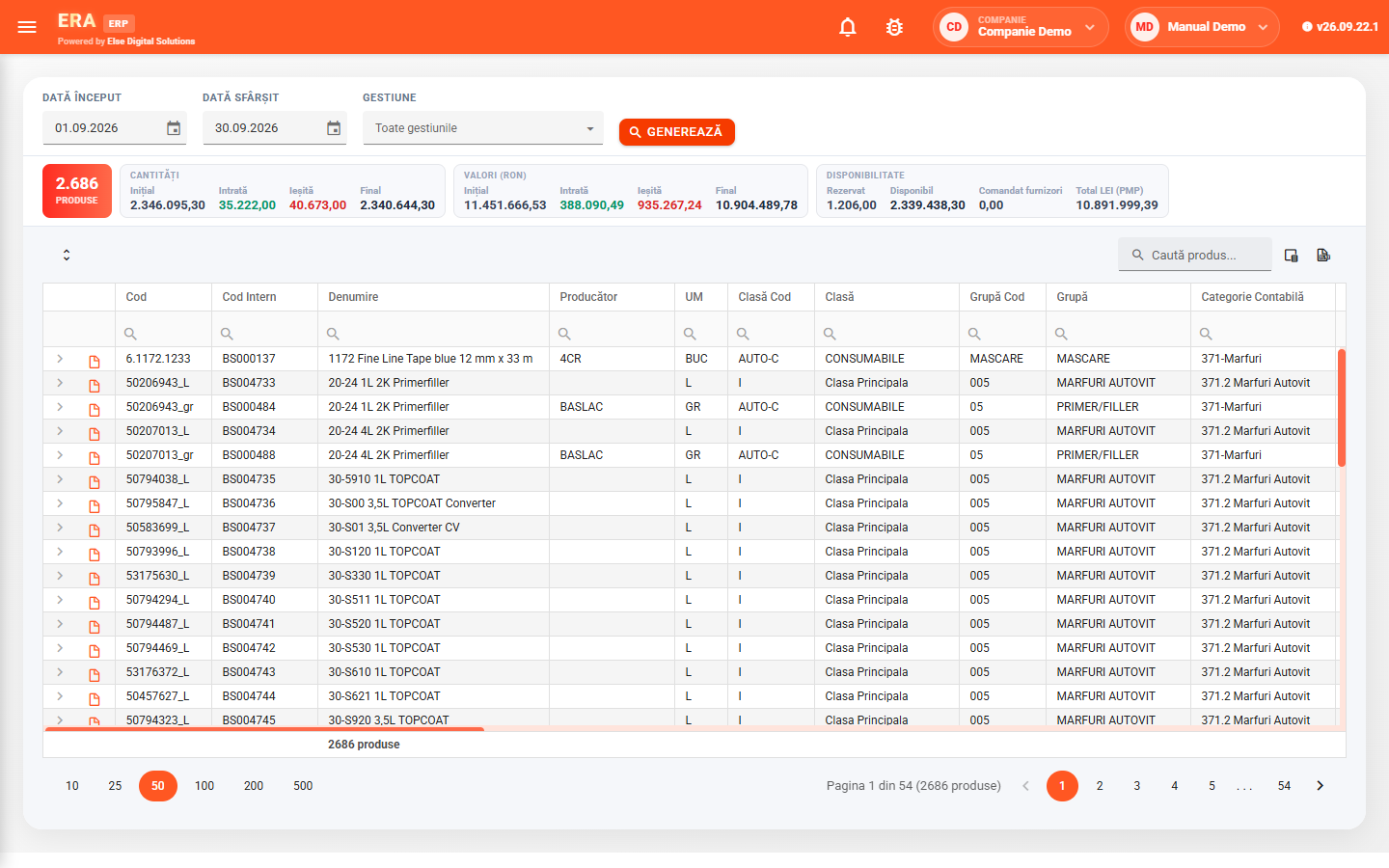
Choose the warehouse and date, and the application calculates stock and value for every product, with the total.

Opening, received, issued and closing quantities and values, reservations, available stock and average price, broken down by warehouse and price.

A product's movements in the period: opening stock, every receipt and issue with its document, and closing stock.

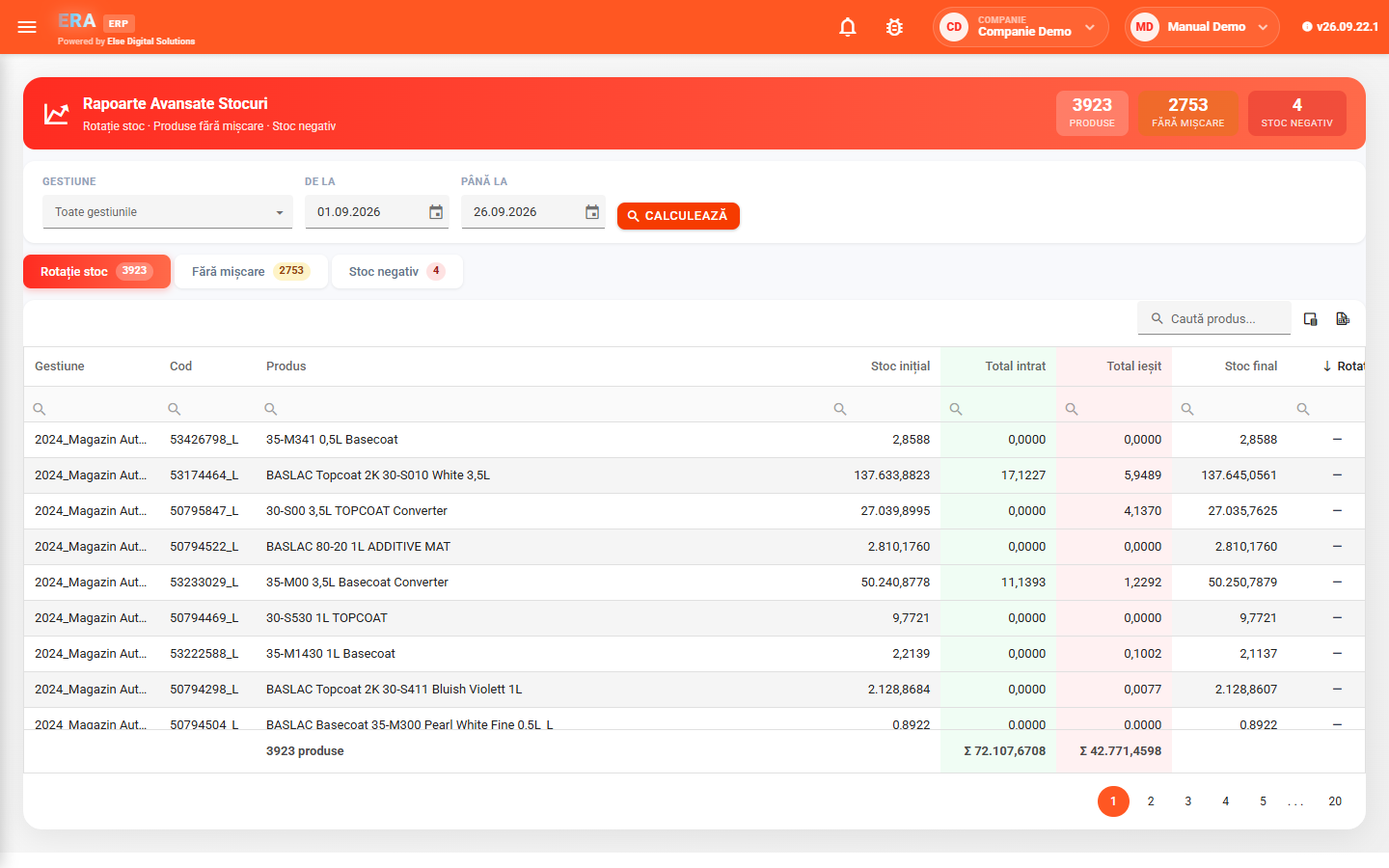
Advanced reports show stock turnover, products with no movement and negative stock; basic reports export to PDF.

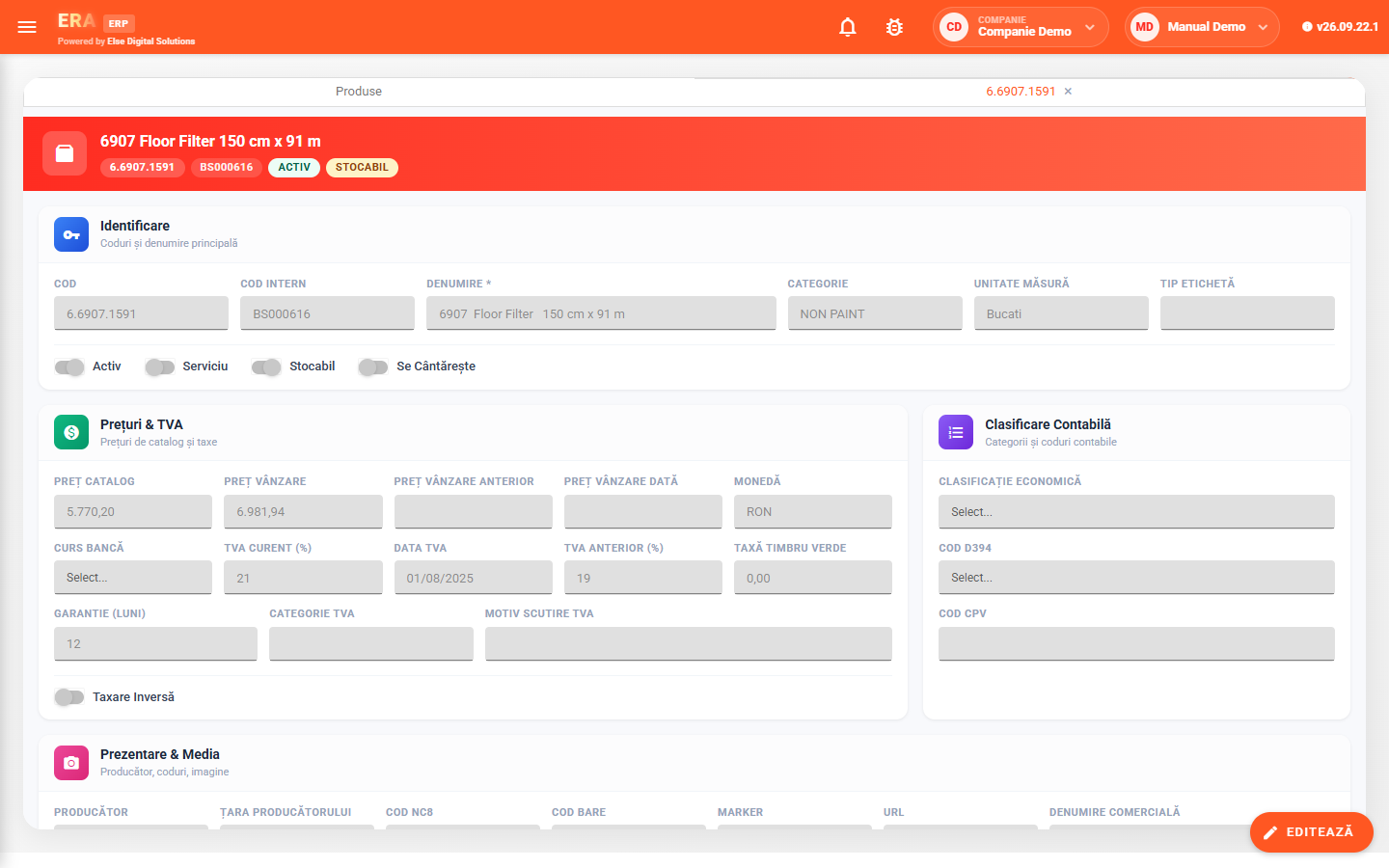
The internal code is generated automatically from the product category; each product has its type (service or stock item), prices, VAT and accounting classification.
Current stock is calculated per warehouse at the chosen date. The analytical balance shows, for each product, opening, receipts, issues, closing, reservations, available and average price, with totals in cards.
From the balance you open the breakdown by warehouse and the product's stock card.
A new inventory count is opened for a warehouse; counted quantities are typed in or scanned, and the differences are generated at the end.
Inventory reports list movements and value per warehouse and period, with PDF export for balance, turnover and inventory.
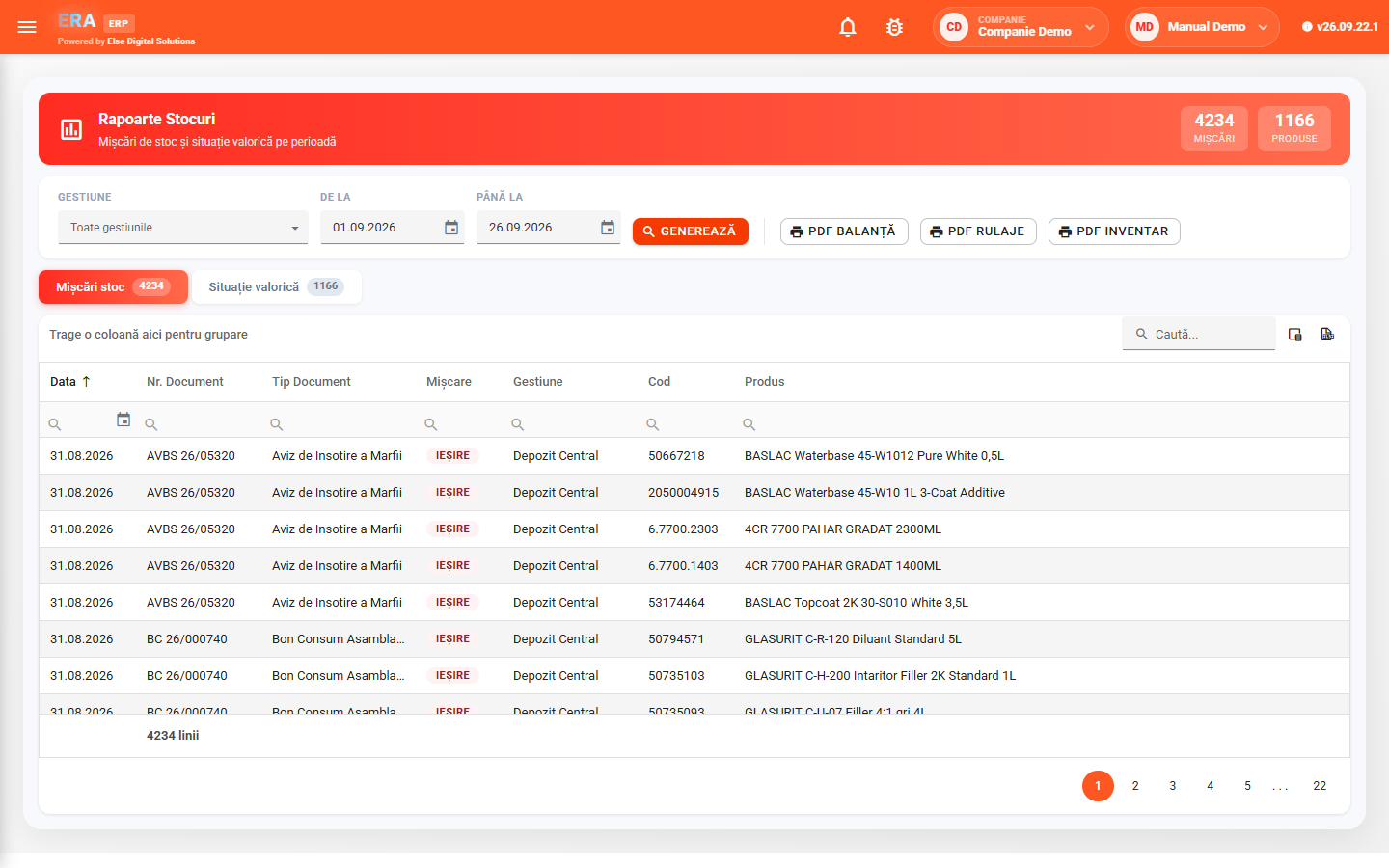
Advanced reports show, per warehouse and period, each product's turnover, products with no movement and those with negative stock.
The product card holds identification, type, prices, VAT, accounting classification and production data. Warehouses have their type and, optionally, period closing — a stock snapshot used for fast calculations.