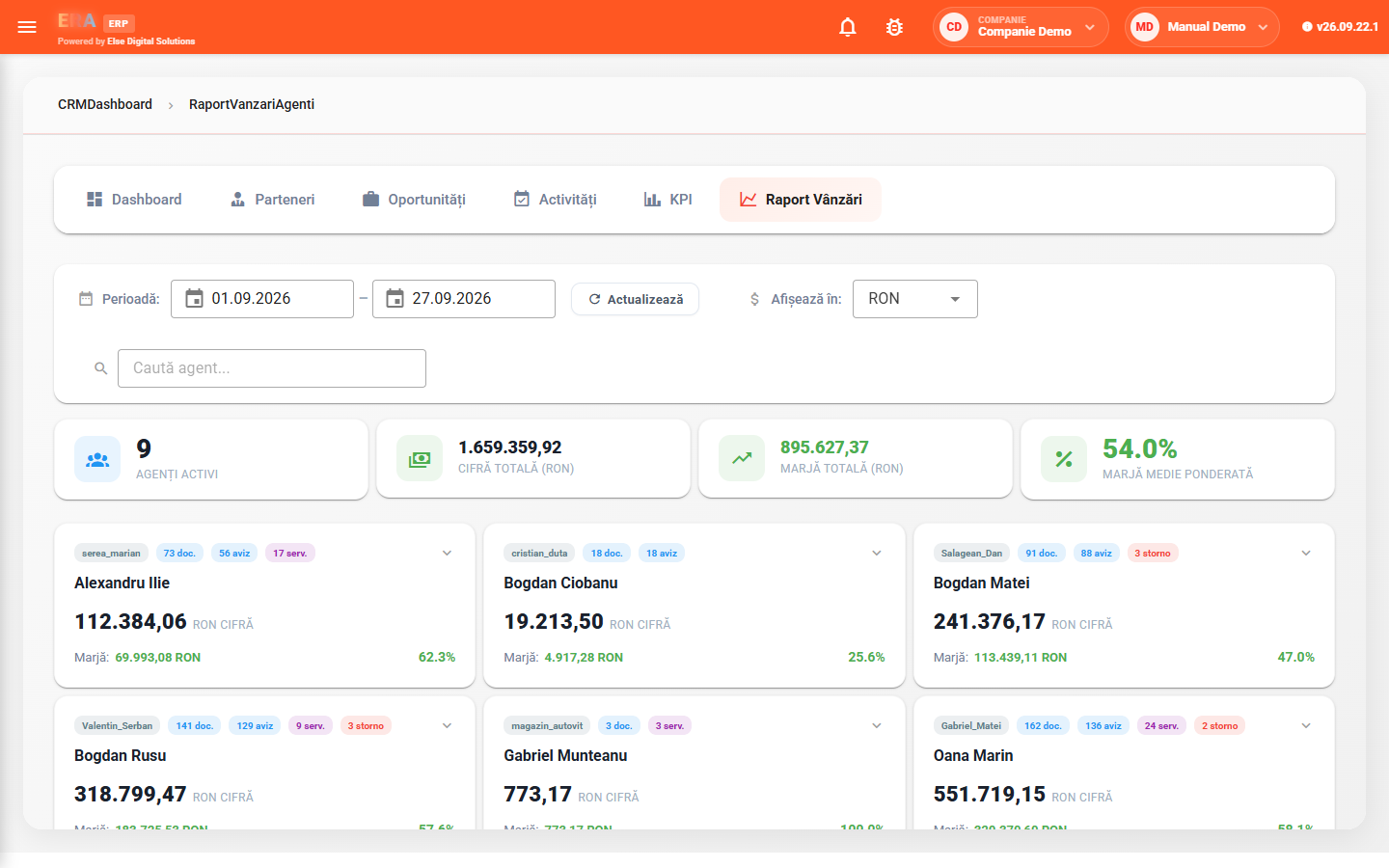
The ERA ERP CRM tracks customer relationships and sales team activity: partners and contact persons, sales opportunities by stage, activities (calls, meetings, emails, demos), marketing campaigns, agent KPIs and sales reports.
The dashboard summarizes the number of opportunities, activities, contacts and partners, planned vs. achieved target (individual and team), the pipeline by stage and recent activities.
Each user sees their own agent's opportunities and those of the agents they were granted read access to.
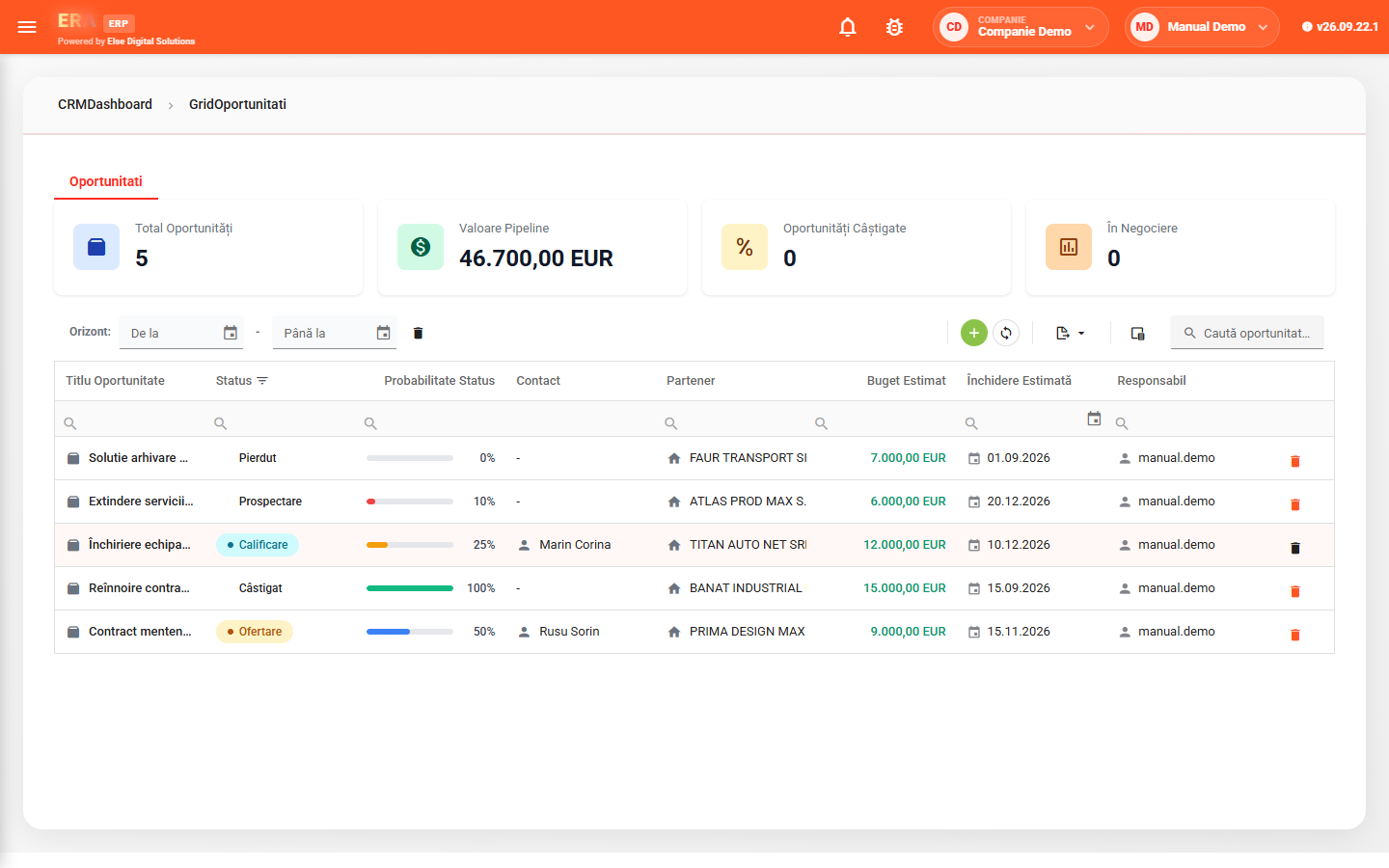

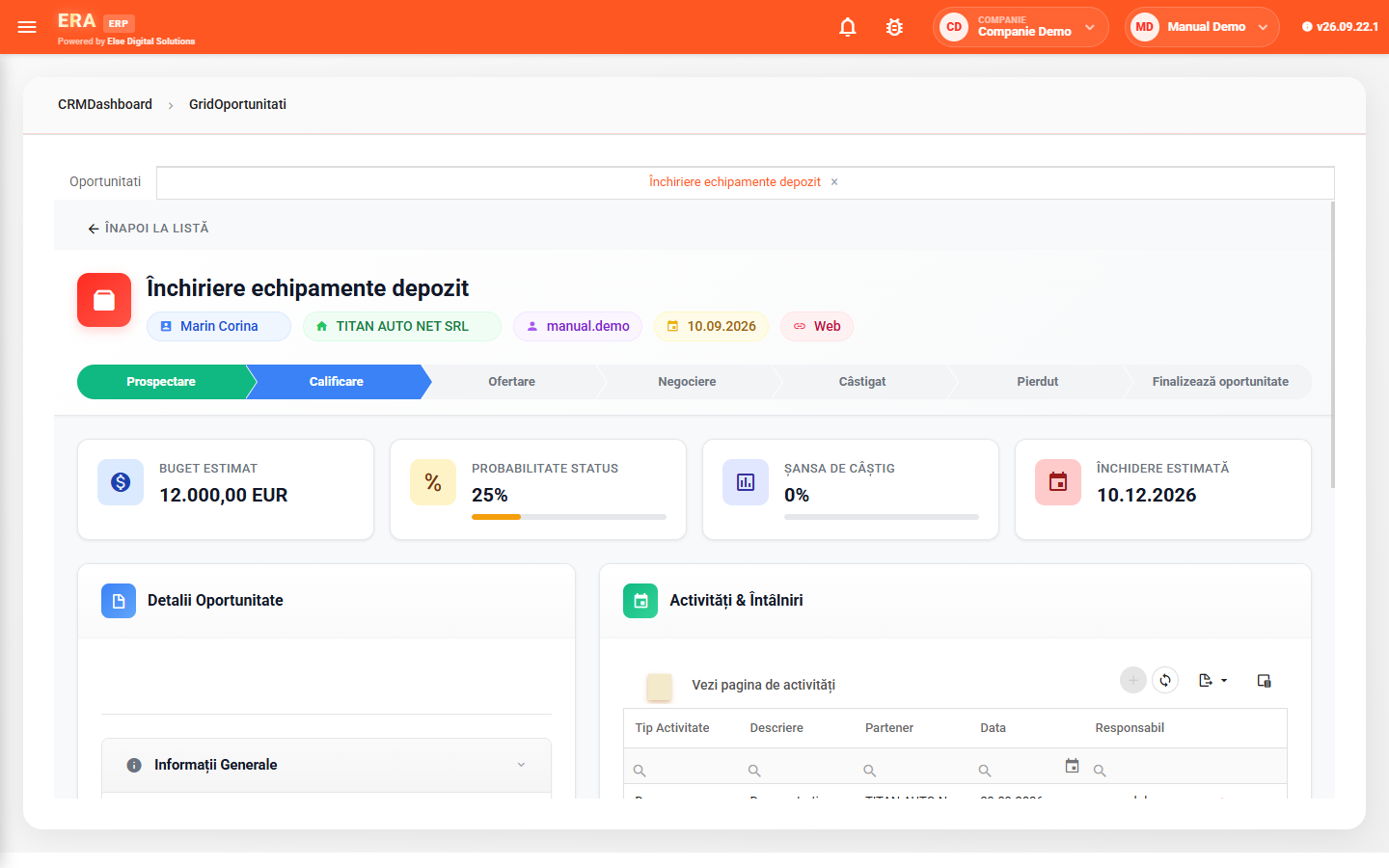
Prospecting, qualification, quoting, negotiation, won or lost — each stage with its default probability. The stage is changed straight from the opportunity's progress bar.

Cards show overdue activities, those without action and upcoming ones. After an activity, you schedule the next one right away.

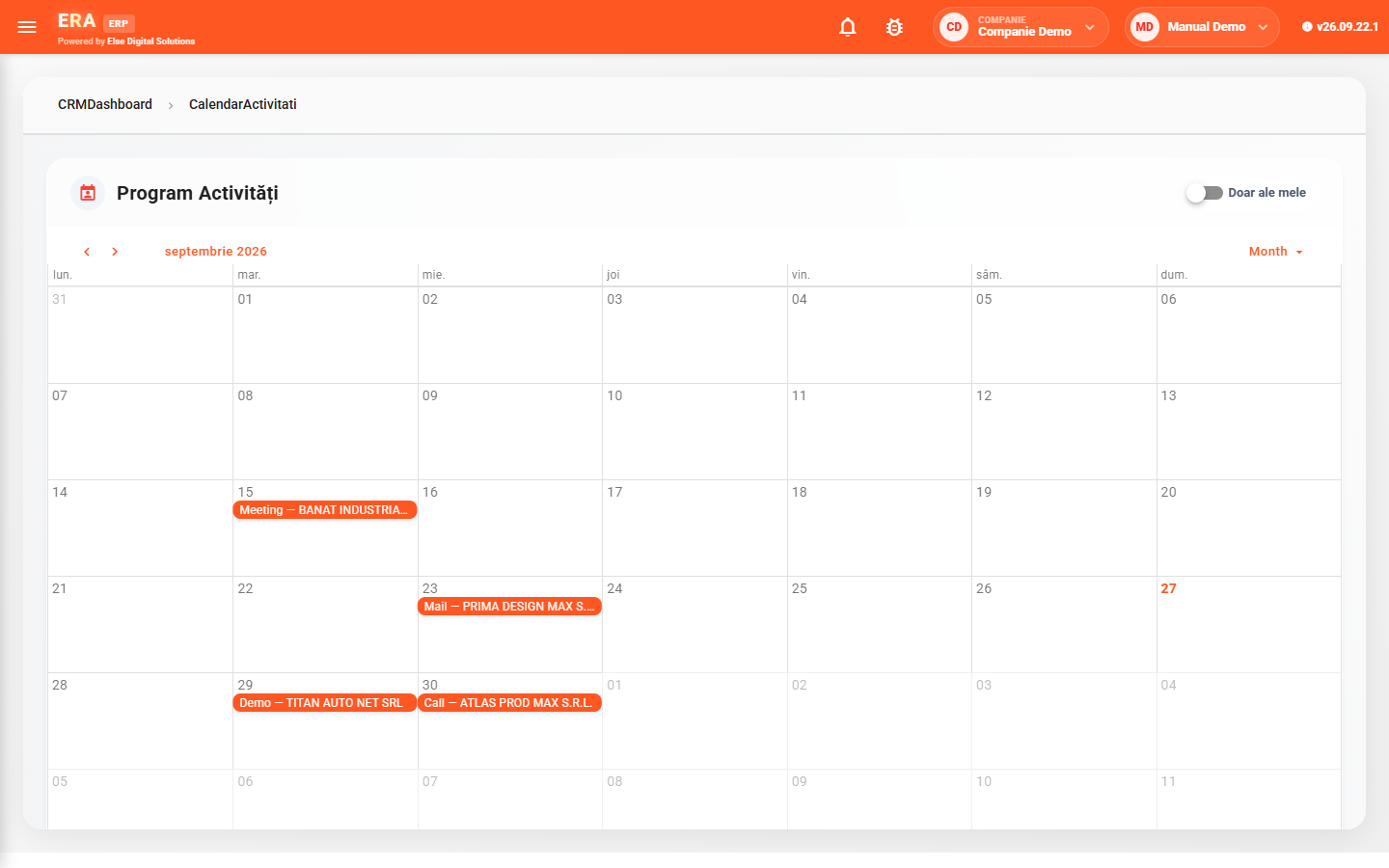
Activities appear by day, coloured by type. The "Only mine" switch narrows the view, and double-clicking a day adds an activity.

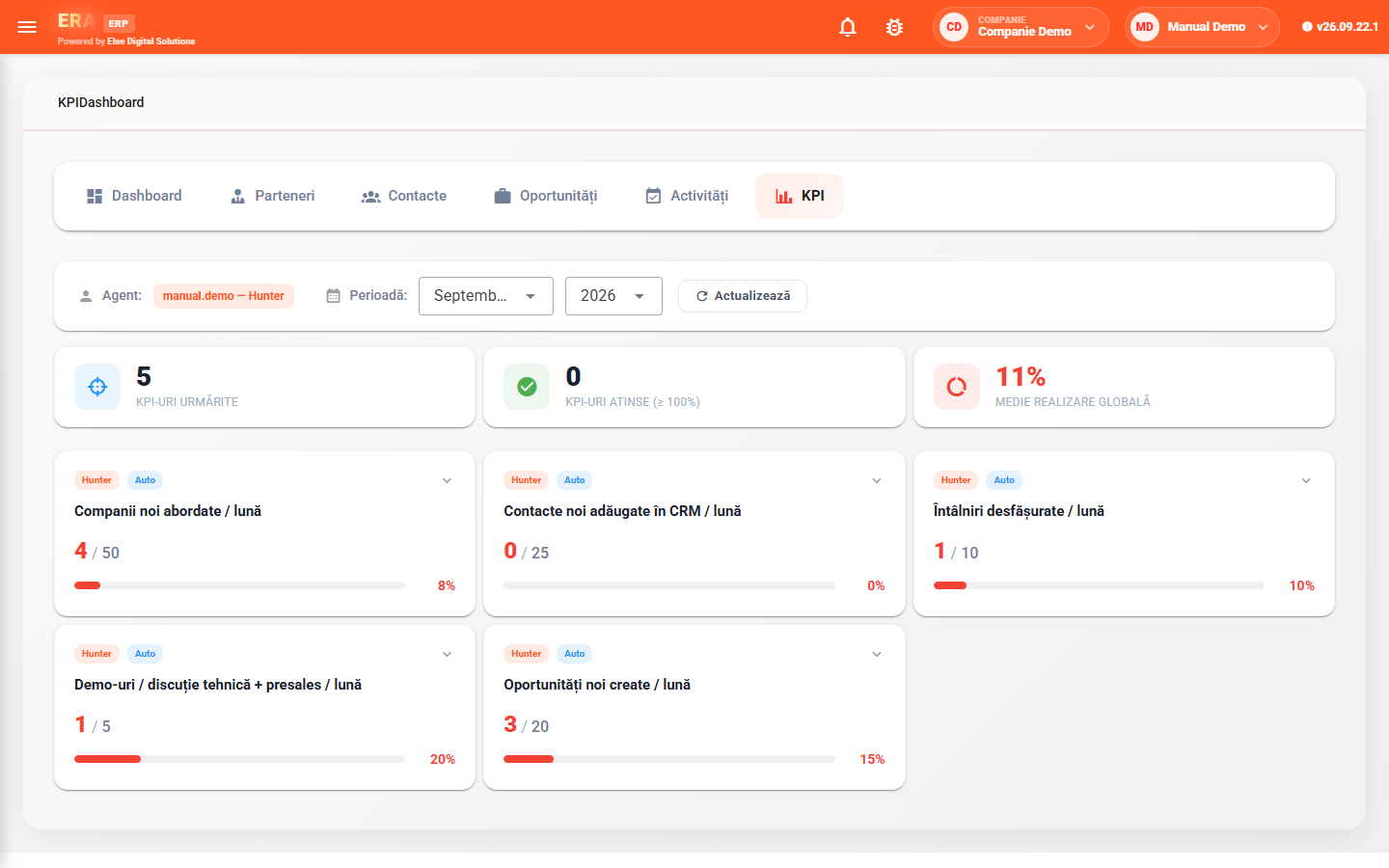
Indicators are calculated automatically from CRM data: new companies approached, new contacts, meetings, demos, opportunities, quotes sent — with default or individual targets.

The sales report calculates each agent's revenue and gross margin from invoices and delivery notes, with conversion to another currency at the current rate.

Each campaign has its industry, type, period, budget and member contacts; cards show active campaigns and budgets.
For each potential sale you fill in the partner, contact person, lead source, estimated budget, chance of winning, currency and expected closing date. The opportunity card shows the current stage on the progress bar and the related activities.
Contacts are added with position, partner, preferred communication method, phone and email.
Calls, meetings, emails and demos are recorded with partner, type, date, cost and attached files. The calendar shows them by day, coloured by type, for you or for the whole team.
For the chosen agent and month you see how many indicators are met and the average achievement, with actual vs. target on each indicator.
KPI administration defines the indicators, agent roles (Hunter or Farmer), individual targets and the whole-team report.
For the chosen period, the report shows each agent's revenue and gross margin, with team totals. Clicking an agent shows their documents.